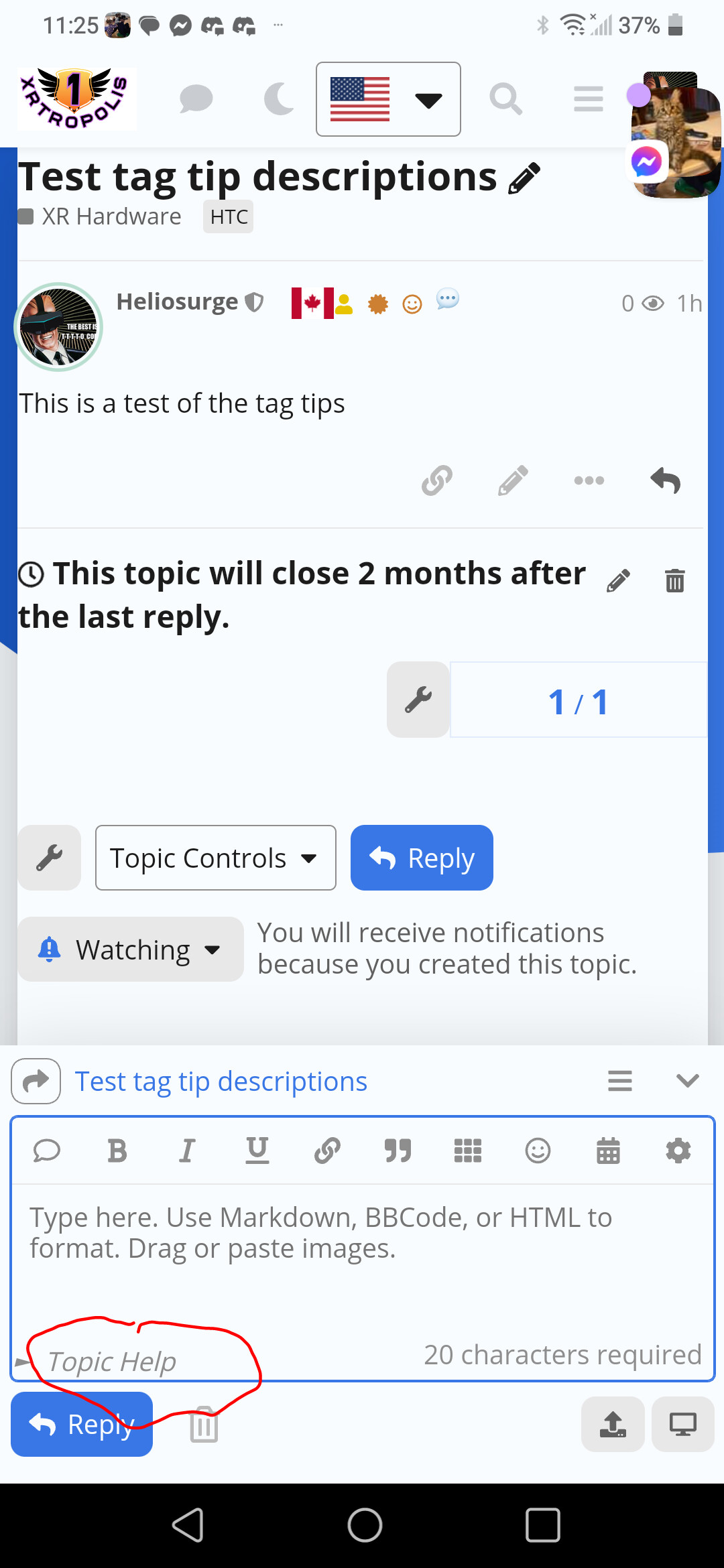
This theme component occupies the bottom right corner of Composer. If you have other plugins or theme components that occupy that location, it may not be compatible with it.
Sometimes, for topics marked by certain tags, you may wish to have something visually indicate to you what rules your replies should follow.
The theme component allows you to do just that. It provides a description of specific tagged topics in composer.
It also provides a concise and easy-to-understand json_schema edit box, making it very easy to modify settings.
At the same time, it provides two modes, I call them Details Mode and Modal Mode
As you saw above, since I am developing for my forum, the component names and configuration examples provided by default are in Chinese. You may need to change them yourself. I apologize for any inconvenience caused to you.
Would it be possible to have this theme component also work for categories? That seems nicer than adding template text as instructions.
I would be satisfied with simply the option to configure categories in the same way as tags in your existing theme component — but it’d be even more useful to be able to have it work in all of these ways:
for a tag, regardless of category
for a category, regardless of tag
specifically for a given tag and category together
And, in the third case, it’d be nice if that overrode any of the first and second. (That is, there could be general text for a category, but if you pick a certain tag, you’d get something else. Or, general text for a tag, except when used in a given category.)
Ahhh, I think maybe because I am not a native English speaker, I have a problem understanding the vocabulary?
These two setting items respectively refer to “Whether visible to whom posted post_number = 1” and “Do not display to those who have already replied once”
I re-tested this on my test forum and it seems to work fine
I’ve pushed a fix for this, thanks for the suggestion!
(Note: The setting JSON items has been modified, and the old setting item needs to be filled in again)
Ah, I see what you mean, it’s by design, because I originally designed it so that the respondent could tell at a glance what norms a reply should follow, but the OP doesn’t need to know - because they are the ones who choose the norm
아 — "Hide for OP"는 _본인 자신의 게시물_에 대한 답변에서 해당 메시지를 보이지 않게 한다는 뜻이군요? 제가 오해하고 있었네요! (다만, 이 설정의 용도는 이제 이해할 수 있습니다!)
제가 염두에 둔 사용 사례는 다음과 같습니다. 누군가가 #contribute:bug나 #help와 같은 태그를 선택할 경우, 첫 번째 게시물에 좋은 문제 보고서를 작성하는 방법에 대한 가이드 링크를 제공할 수 있습니다. (태그 기반 접근 방식 외에도 카테고리별로 제공하면 좋겠습니다.)
그리고, 아마도 답변들 (OP가 아닌 다른 사람들에 의한)에는 좋은 답변을 작성하는 데 도움이 되는 리소스 링크를 제공할 수 있을 것입니다. (다만 이 사용 사례에서는 첫 번째 게시물이 더 중요합니다.)
또는, 다른 사용 사례로: 주제가 뉴스 기사나 블로그 게시물인 경우, 답변 내 텍스트에서 텍스트의 _본질적 내용_에 대해 댓글을 달도록 사람들을 상기시킬 수 있으며, 오탈자나 기타 오류를 보고하기 위한 링크를 제공할 수 있습니다. (이렇게 하면 답변이 더 유용하게 유지되면서 동시에 관리자의 부담을 줄이는 데 도움이 될 것입니다.)
This is pretty cool. Would you consider as asked making this work on first post? Can yoy use Align left to wrap. text? as I use plugin chars required and it disolays in the right.
You would likely need to target them with css much like your targetting your element here.
In UX category there is a neat idea code that moves the composer menu on mobile to bottom with rhe gear having Options replace composer icons scrolling left to right. It would also have a placement issue with your component and chars requirement plugin.