The discussion revolves around the homepage feature “Show categories and featured topics” in Discourse. taonmatt is looking for a way to add an “Expand>>” button to show more text from the “About” post, which is being cut off. Heather_Dudley explains that this is not possible with a setting and suggests using mouseovers for longer descriptions. JimPas recommends increasing the post excerpt maxlength in Settings/Posting, which can be adjusted to show more text, but notes that the purpose of this feature is to provide a summary. taonmatt appreciates the suggestion and acknowledges the need to refine his summary, likening it to “The Gettysburg Address” rather than “War and Peace”.
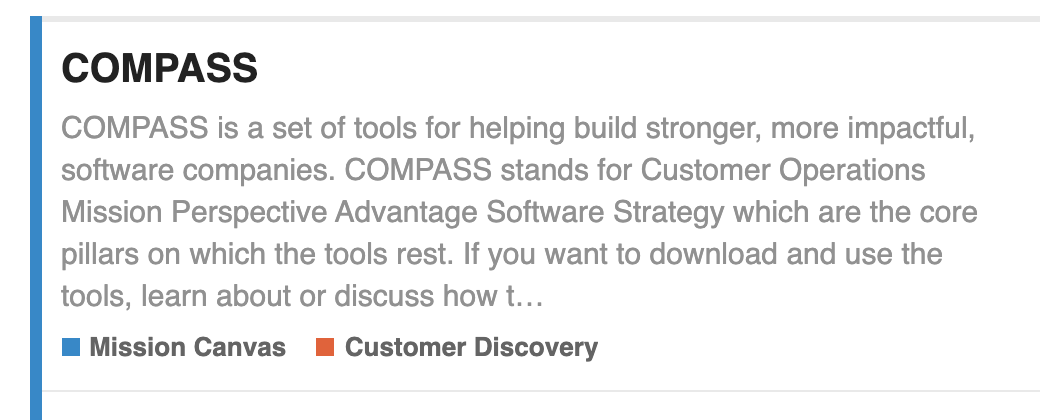
I’m using the homepage feature “Show categories and featured topics” which is great. However Discourse is cutting off the 1st para being shown from the “About” post.
Obviously I can copy-wrangle my text and tighten it up to fit into the space provided but I wonder if there is a way to get an “Expand>>” for this?
How much more would you want to show? If after seeing this much of the topic, instead of clicking “Expand”, why not just go to the topic - if it interests someone that much?
If you want to change the maximum number of characters from the default 300 to something higher, you can go to Settings/Posting and scroll down to post excerpt maxlength (Maximum length of a post excerpt / summary) and increase the number. But you should remember… this is a summary, and that’s what it’s meant for.
You’re right but I’m sure you’d agree that a summary of, say, “War and Peace” and “The Gettysburg Address” might vary in length. I’m probably aiming more for the latter and my summary could use some word-smithing (among the many dozens of things I need to do to improve my site) in the meantime I wanted a way to just show people the end of the summary. Which you have now given me, thank you for that