How can I make it so that the items that I pin Globally have less text under them. They take up a lot of space on the page, and I want to leave some space open so people don’t have to scroll through the pinned Topics every time they want to get to the other topics. How do I shorten the amount of words here? I’m sure there’s a setting for it somewhere…
AI-generated summary
In a support discussion titled How to make pinned items have less text underneath them, CaptainZac seeks to reduce the amount of text shown under globally pinned topics to save space. omarfilip suggests adjusting settings via the Admin panel under excerpt, specifically recommending unchecking Show excerpt on pinned topics in mobile view [4] or reducing topic excerpt maxlength to 220 (default) [8]. However, CaptainZac reports no visible change after adjustments. omarfilip confirms the issue, noting only the mobile setting affects display. awesomerobot clarifies that topic excerpt maxlength applies to new topics and recommends a rebake of existing posts via command line: rake posts:rebake after entering the app container. CaptainZac asks where to run the command, and awesomerobot explains SSH access to the server is required — CaptainZac concludes they’ll need to contact their Discourse hosting provider to execute it. A related guide on CSS changes is also referenced [13].
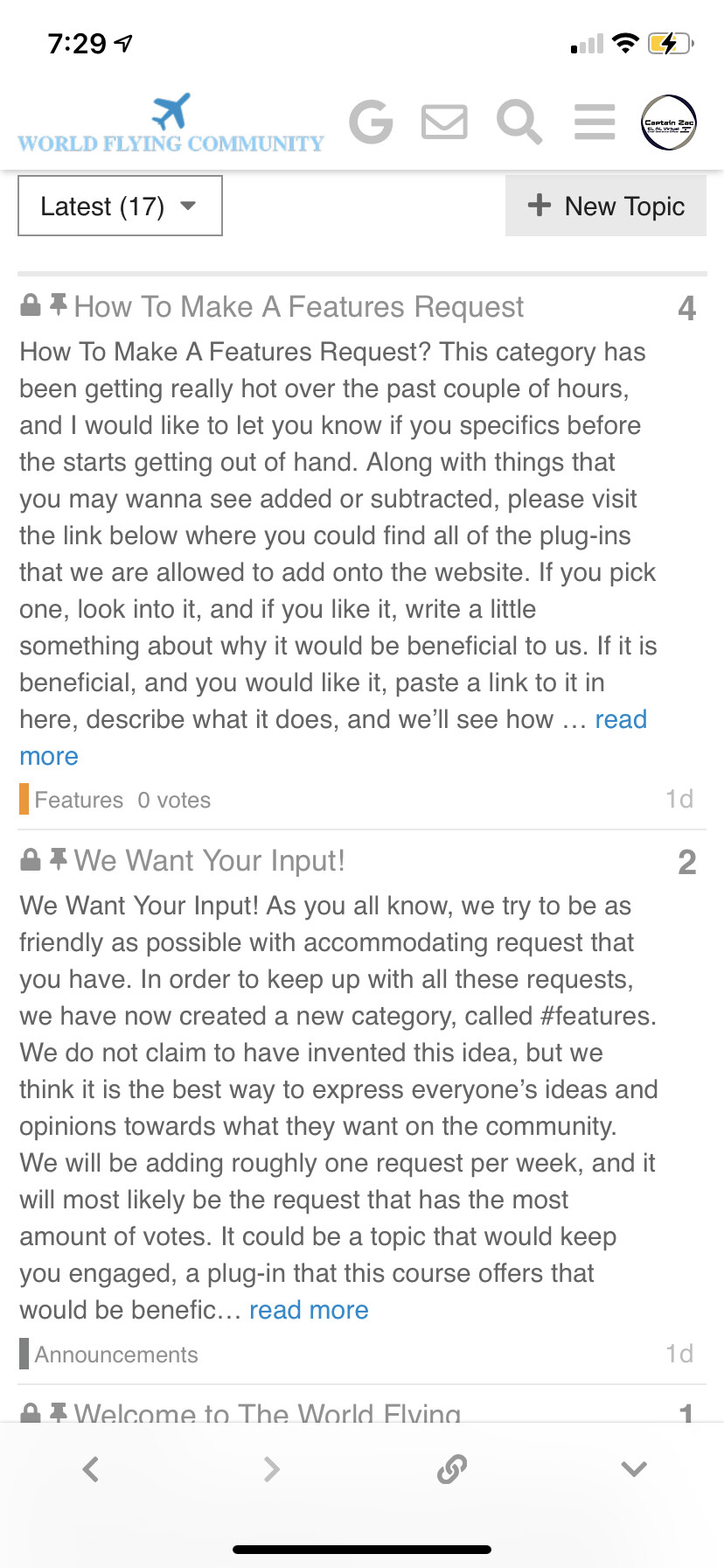
Filter for excerpt in the Admin. There are several settings you can adjust, including hiding the excerpt on mobile view.
/admin/site_settings/category/all_results?filter=excerpt
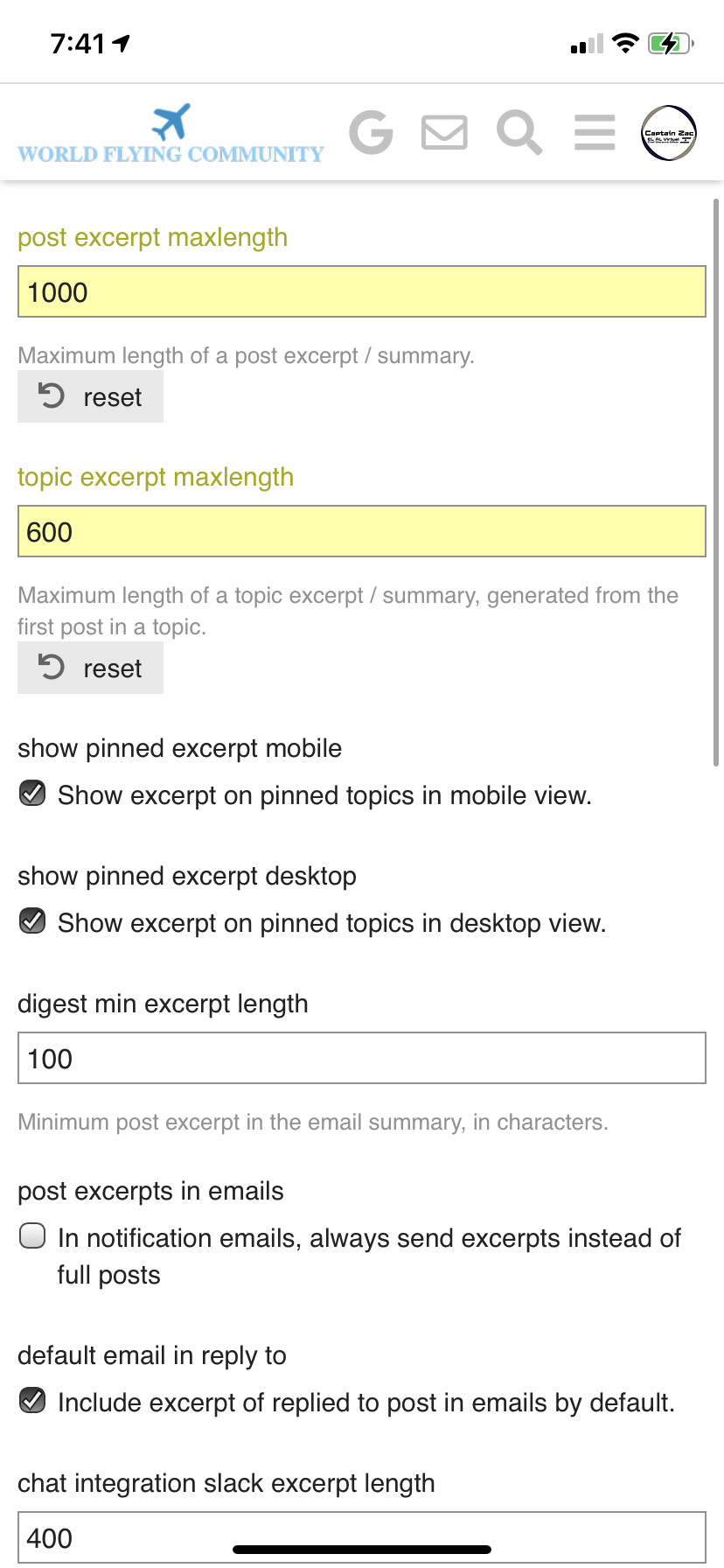
Uncheck Show excerpt on pinned topics in mobile view.

In that case your option is to reduce the post excerpt maxlength back to the default 300 characters or play with it to see what works for you.
I set it to that and it changed nothing
Correction: adjust the topic excerpt maxlength instead of post. The default is 220.
That still didn’t change anything…
Well, you’re right. I can’t get the expected behavior, either. The only change that makes any difference is the show pinned excerpt mobile setting.
topic excerpt maxlength should work on new topics, and I believe you’ll need a rebake for it to work on existing topics.
A rebake of all posts can be done via the command line:
cd /var/discourse
./launcher enter app
rake posts:rebake
Thank you, I apologize. And just one last quick question, where would I put this command for it to work?
You need to be able to access the server where your site is hosted via ssh.
OK, thanks. I’ll have to contact discourse hosting, who runs my website in order to do that. Thank you for your help