The discussion revolves around an issue where adding a white transparent logo to a website results in a blank white circle when the site is added to the Android homescreen via Chrome’s ‘Add to Home Screen’ feature. Tom_Eagle reports the problem, noting that the white icon appears blank on both the homescreen and app drawer. Falco investigates and suspects that Android’s WebAPK creation process may be overly optimizing the transparent logo, replacing it with white. Despite the logo being intact in the extracted WebAPK, the issue persists. Tom_Eagle confirms the issue is resolved by updating the logo to include a background, though they lack immediate access to test settings. The thread concludes with gratitude to the contributors for their assistance.
Moderators, please feel free to move/merge this with a already existing topic if there is one. But after searching every variation of my problem don’t think there is one existing.
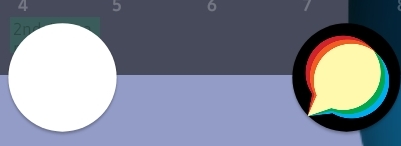
When we updated the logo to fix the light/dark theme mode, we have somewhere messes up the chrome “add to homescreen” on Android devices, which leaves us with a blank white icon…
Your logo is white on transparent, so I think that when the Android Play Store is creating your WebAPK, it’s “optimizing” the PNG too much and saving a few bits by replacing all with white…
Nope, I’m sorry.
However @Falco did still help so I would like to say thank you to you both .
We have updated the logo to have a background and it is working on now.
I am just a staff member on our forum so I don’t have access to change and test all of the setting instantly and our admin is extremely busy with other parts of the company right now.


 .