Changing the Design of the Discourse App for a Community
The original poster, Richard_Millington, was looking for the easiest way to change the design of the Discourse app for a community. HAWK clarified that the app and mobile browser view are different, and Richard_Millington confirmed they were referring to the app downloaded from the app store.
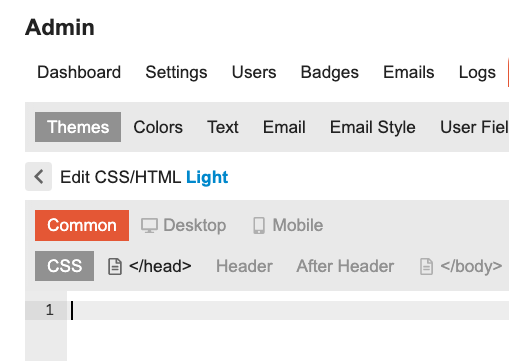
merefield explained that the DiscourseHub view reflects the web view, so any changes made to the mobile web client will be visible within DiscourseHub. To make changes to the mobile web client, HAWK advised using the common, desktop, and mobile sections in theme customization, and provided a link to an example.
However, Richard_Millington encountered an issue where the mobile design wasn’t mirroring the desktop version, and was trying to show only the latest discussions on mobile. Johani suggested using a theme component to force the latest layout on mobile, and provided a link to a relevant discussion on Meta Discourse. This solution worked for Richard_Millington.
Are you definitely talking about an app (i.e. downloaded from an app store) or are you talking about the mobile browser view? They are different things.
The view you see in DiscourseHub just reflects the web view. So any changes you make to the mobile web client will be visible within DiscourseHub.
DiscourseHub makes the view cleaner as it obviates the need to have the additional browser interface elements.
As such, if you are only concerned with the DiscourseHub view you just need to prepare your modifications and deploy them in Theme Components and/or Plugins as per normal.
Actually, just working on this and it doesn’t seem to be happening on my client’s community.
The mobile isn’t mirroring the desktop version - it’s close. But not exact. The list of topics appears alongside the relevant categories. We’re trying to show just the latest discussions only on mobile. Is there an easy way to do this in the CSS?