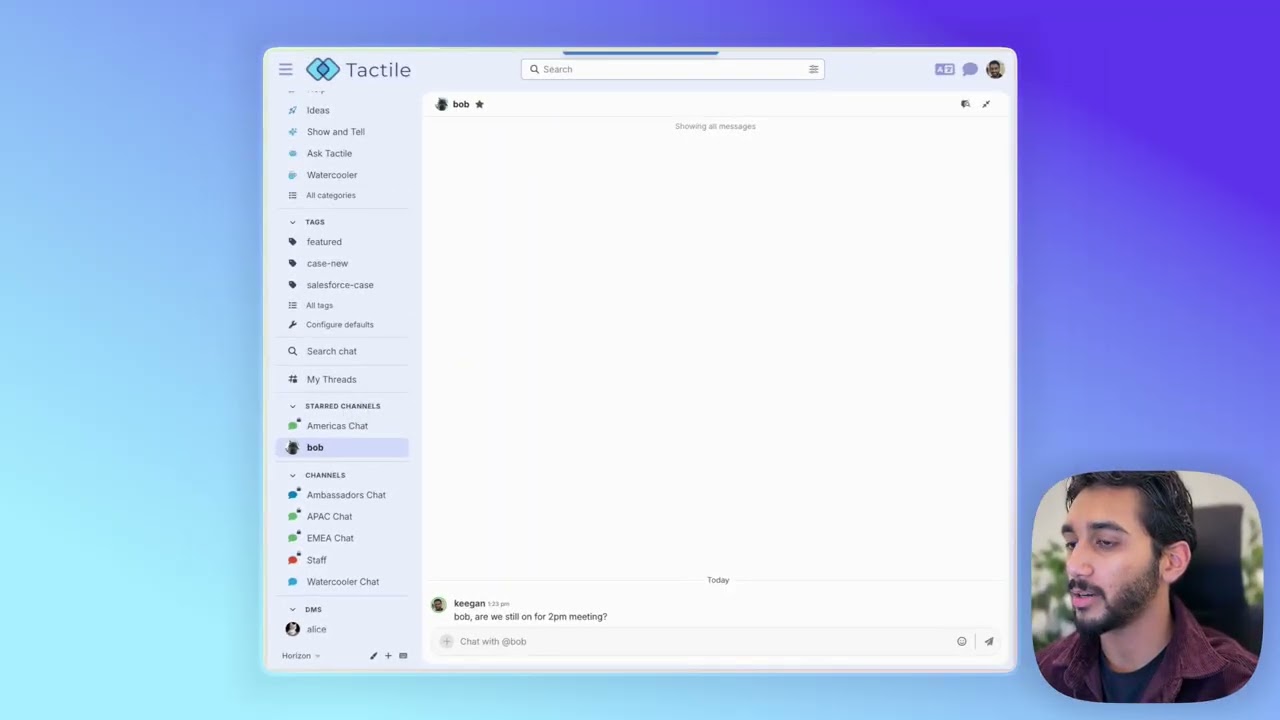
Star your favorite chat channels for easy access

To make it easier to find your most important conversations, we’ve added the ability to star your favorite channels, group chats, and DMs. This is a great way to organize chat when you belong to many channels and want to ensure the most important ones remain easy to access.

After selecting the star icon in the channel name area, that channel will move to the Starred Channels section in the sidebar on desktop:

…and the Starred footer tab on mobile:

Select the star icon again to remove the channel from this section.

:movie_camera: See starring in action

19 Likes

Great feature! Two-fold suggestion:
Adding a new “starred” tab just clutters the UX/UI.

IMHO, it’s better to just pin the chats to the top.

And/or rename the feature to “pinned chats.” That makes much more sense and it’s an already familiar pattern or ux from pinned topics.