Hi everyone,
I recently have been working on my forum design and I’m pretty happy with how it looks now from my computer. However, when I open it in my mobile it looks completely different and I have no idea why or how
In my computer it looks like this:
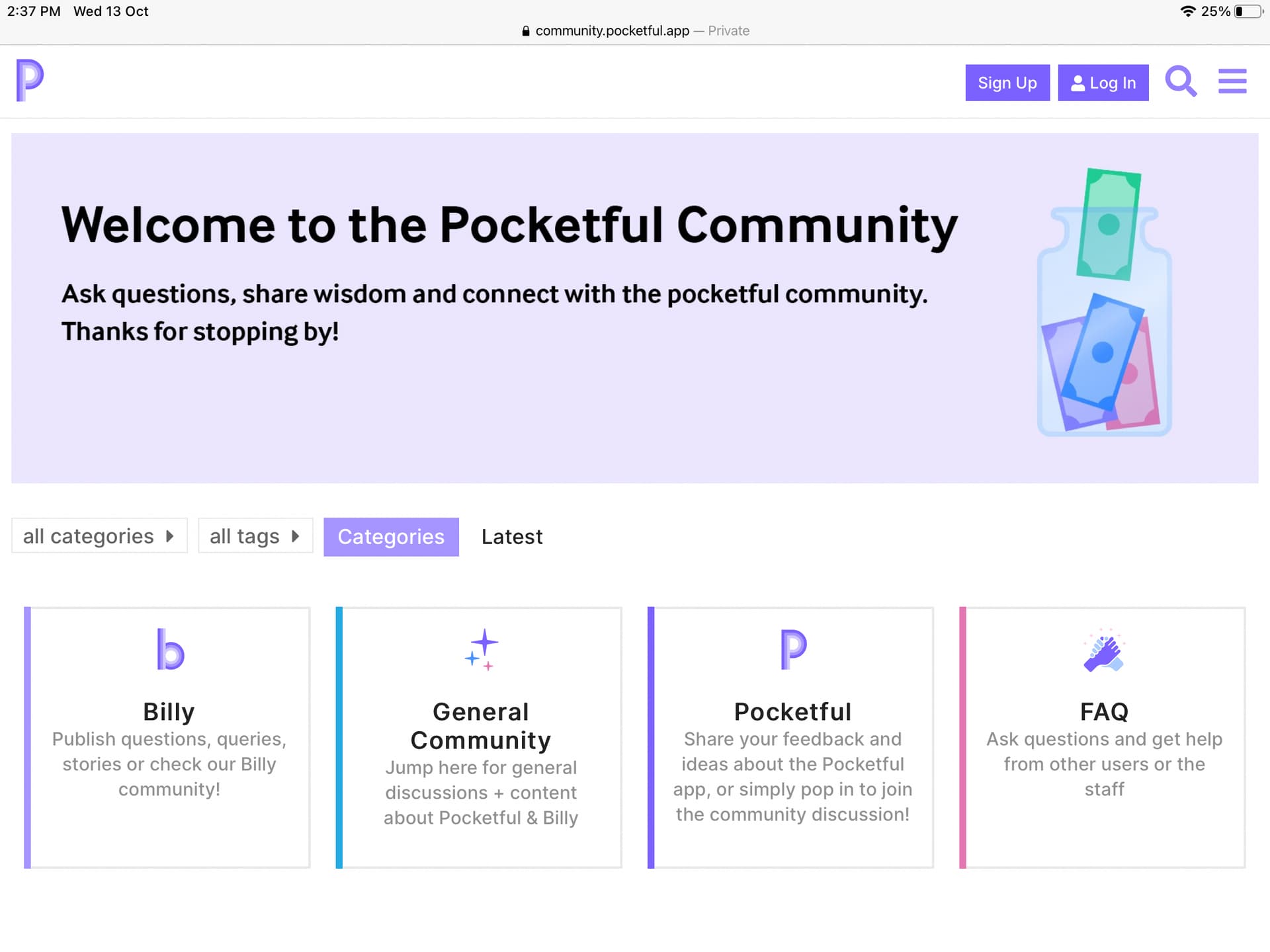
But in my phone (in mobile view) it looks like this:


-
You can see how the banner looks super small instead of optimising to the mobile view
-
The homepage forces you to scroll the category boxes individually. Instead of being able to see all of them in a single screen
-
In mobile view each category has 4 rows about some of its content? I would like to delete that and just show the box with the logo and title.
I just pretty much want it to look exactly like the homepage. When I click on desktop view on the mobile it looks like this:

So I was wondering if there is a way to only have two boxes, without the description? AND to make that the default instead of having to click on desktop view in a mobile?