Disable account confirm emails when creating users via API

@team

Continuing the discussion from Disable Welcome Emails - Can it be done?:

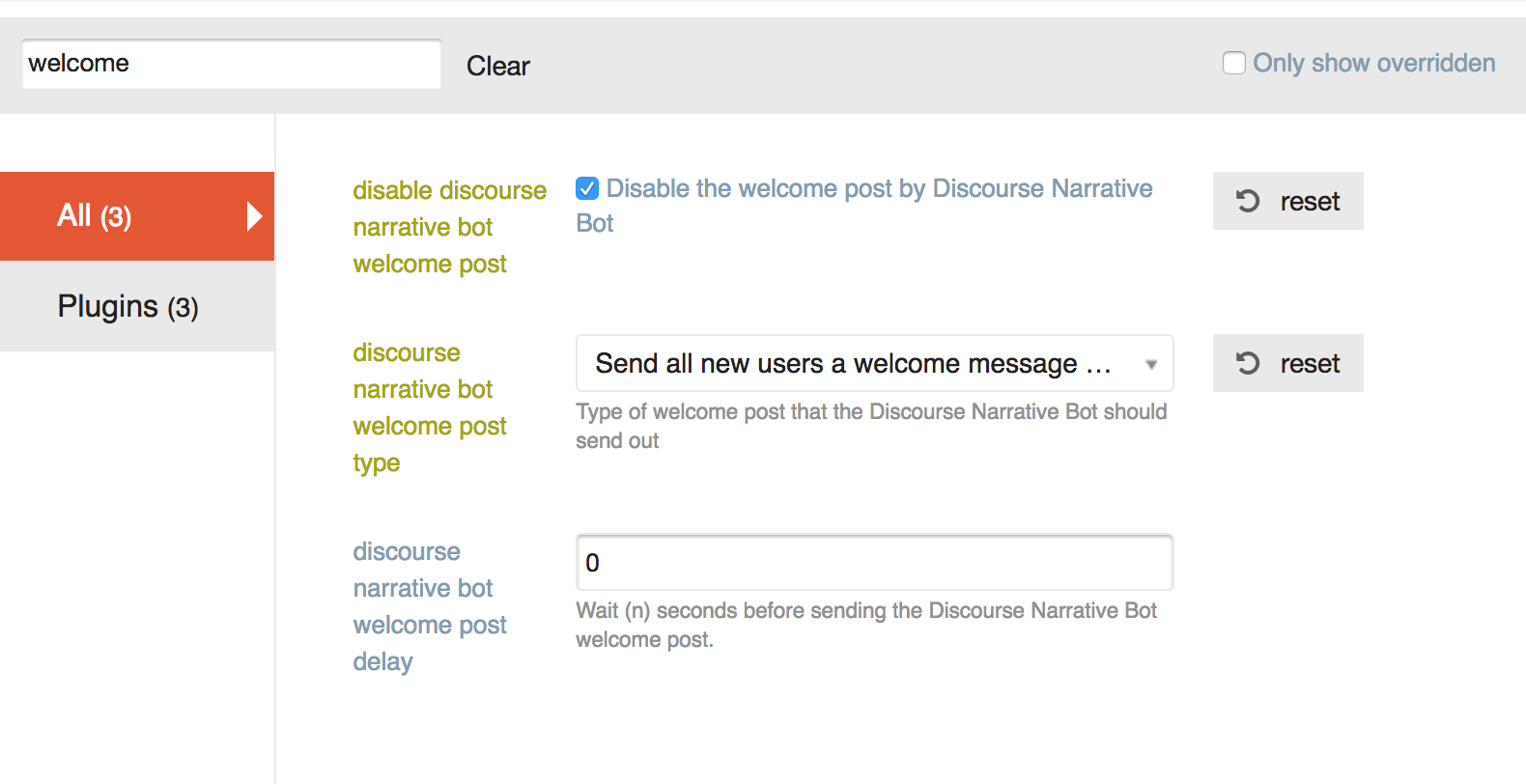
Hello. I’ve tried disabling these in a bunch of ways:

I’ve tried both choices for “discourse narrative bot welcome post type”, and the email sends no matter what.

I’ve also tried doing this:

The email is still being sent. How do I stop it?

Having a similar problem with the “Confirm your new account” email – the PM from discobot is turned off, but users are still receiving the email. It looks like these are different settings. Is there a way to remove the confirmation email?

For clarification, are you adding users via the API @jeffbrowning?

Correct. This is an API call. The data is:

data = {
        'api_key': settings.DISCOURSE_API_KEY,
        'api_username': settings.DISCOURSE_API_USERNAME,
        'name': 'foobar',
        'email':email,
        'password': password,
        'username': 'barbaz',
        'active': True,
        'approved': True
    }

I first tried just sending this API call:
first_res = requests.post('{base}/users.json'.format(base=settings.DISCOURSE_BASE_URL), data

When I did this, my users were not active (despite the active: True in the data above).
I then tried to activate them via the api:

data = {
        'api_key': settings.DISCOURSE_API_KEY,
        'api_username': settings.DISCOURSE_API_USERNAME,
    }
    requests.put('{base}/admin/users/{id}/activate'.format(
        base=settings.DISCOURSE_BASE_URL,
        id=json_response_content['user_id']
    ), data)

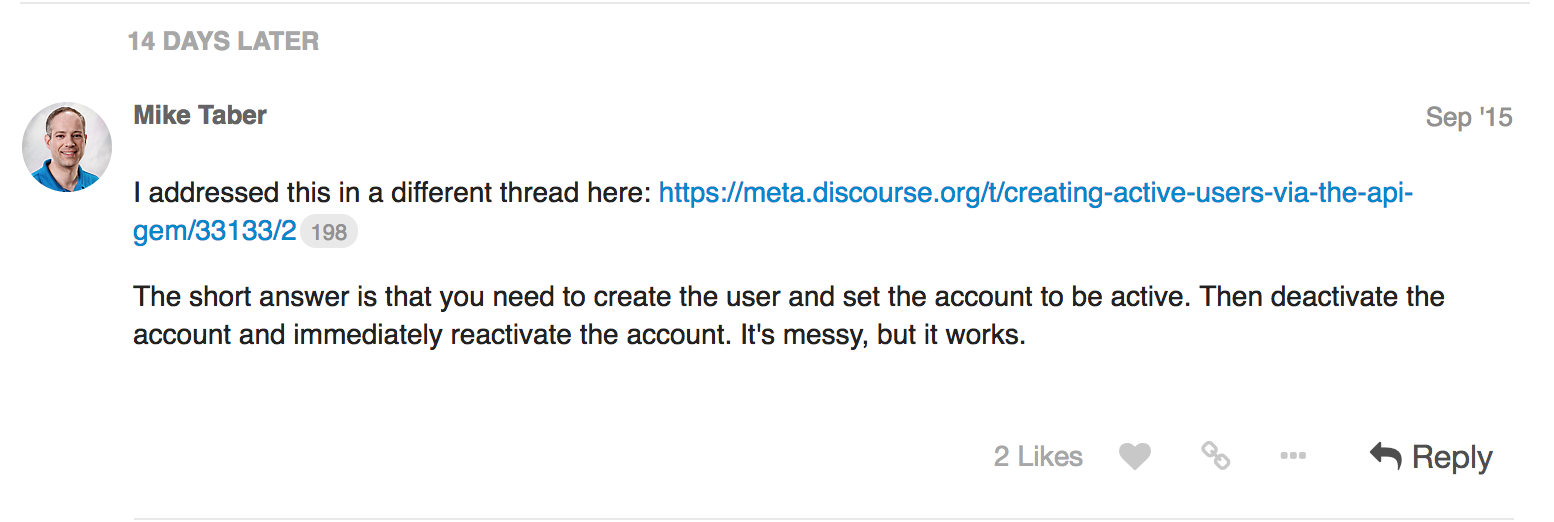
When I did this, the users were active, but the activation email was still being sent. I read here (Creating Active Users via the API gem) That I should try deactivating the user and then activating, so I tried that as well:

data = {
        'api_key': settings.DISCOURSE_API_KEY,
        'api_username': settings.DISCOURSE_API_USERNAME,
    }
    requests.put('{base}/admin/users/{id}/deactivate'.format(
        base=settings.DISCOURSE_BASE_URL,
        id=json_response_content['user_id']
    ), data)
    requests.put('{base}/admin/users/{id}/activate'.format(
        base=settings.DISCOURSE_BASE_URL,
        id=json_response_content['user_id']
    ), data)

I could not see any difference in behavior between this code and the previous version (creating the user, and then activating).
Per:

You can now specify that an account is also approved on creation, previously it was beyond cumbersome.

You should use active: 'true' , upper case true will not work.

As long as the API key is associated with an admin you can now create approved, active accounts via the API with no emails.

We will deploy this to our standard tier later this week.

「いいね!」 6

Ok we’ll try that. Do we still need to deactivate + activate or can we take that out as well?

Take that out, but wait till Friday or so to test this out, we have a process prior to pushing our standard tier that we need to follow.

「いいね!」 1

Is there a security risk here? Can we stipulate these cannot be staff (mod/admin) accounts?

It should be fine, we only whitelist staged, approved and active. Admin/moderator is not in the whitelist

「いいね!」 5

I am still having issues creating user accounts using the API. Here are the params I am passing to create the user

$params = array(
            'name'                  => $user_details['name'],
            'username'              => $user_details['username'],
            'email'                 => $user_details['email'],
            'password'              => $user_details['password'],
            'challenge'             => $api_keys->challenge,
            'password_confirmation' => $api_keys->value,
            'active' => 'true',
            'approved' => 'true',
            );

The user is being successfully create and no email is being sent. But when I try to login using the account created I am getting the following error message.
You can’t log in yet. We previously sent an activation email to you at *@.org. Please follow the instructions in that email to activate your account. Do I have to change any other settings on the admin? Any help is appreciated.

You might try activating the user with a second API call.

@pfaffman The issue that I am facing with that approach is, a confirmation email gets sent out when I create the user without the “active” parameter. Ideally I would want to create and activate an user using the api without sending the confirmation email.

So my idea was to create the user that way and then try to activate the user via a second API call.

Usually the answer to questions like this are to use SSO, but it’s not clear that it’s what you should do.

Unfortunately we cant use SSO.
The issue with creating an user by passing the active flag and then trying to activate is that we cant activate an already activated user.
I was hoping when active =“true” is passed as a parameter to create the user the user account should be created and activated without sending the confirmation email. Looks like the API request is not doing that.

「いいね!」 1

That sounds like a bug to me.

My next suggestion would be to create it with active. Then deactivate and reactivate with the API. (Or to submit a PR that fixes the bug.)

Yes, Looks like this is the only method that works. Thanks.

「いいね!」 1

Is this working at all?

deactivation and activation also seems not to work properly. I see emails still being sent to pre activated users.

API リクエストで active=true および approved=true を設定して送信しましたが、以下のようなレスポンスが返ってきました:

{
“success”: true,
“active”: false,
“message”: “あと少しです!アクティベーションメールを『[my email]』宛に送信しました。アカウントを有効化するには、メール内の指示に従ってください。メールが届かない場合は、スパムフォルダもご確認ください。”
}

しかし、実際にはメールは送信されず、ユーザーも作成されていないようです(少なくとも管理画面には表示されていません)。その理由として考えられることは何でしょうか?

「アクティブ」タブではなく、「新規」タブの下にある可能性がありますか?

API でユーザーを作成する具体的なユースケースは必ずしも明確ではありませんが、シングルサインオン の利用を検討することをお勧めします。

ただし、確認メールを送信せずに API を介してユーザーを作成するための現在の手順は以下の通りです。3 つのリクエストを行う必要があります。

  1. active=true パラメータでユーザーを作成
  2. ユーザーを無効化
  3. ユーザーを有効化
「いいね!」 1

こんにちは、ブレイクさん。ご返信ありがとうございます!

いいえ、残念ながら違います。確認しました。何らかの理由で、「アクティブ」タブと「新規」タブに同じユーザーのリストが表示されているのですが、順序が異なります。

別のシステム(問題追跡ツールの YouTrack)から移行する予定です。ユーザーにとってできるだけスムーズでシームレスな移行を実現したいと考えています。そのため、まず API を通じてすべてのユーザーを移行し、次に投稿(問題追跡システムから取得し、API を介して Discourse に作成)、コメント、添付ファイルを移行し、最後に招待メールを送信する計画です。これが、最初にユーザーを作成して、彼らを投稿やコメントの著者にする必要がある理由です。

はい、このトピックの上でその内容を読みました。問題は、ステップ 2 にはユーザー ID が必要ですが、これはステップ 1 のレスポンスに含まれているはずなのに、実際には含まれていない点です。また、「active=true」に対するレスポンスメッセージも、こちらに示されているように異なるはずです:Creating Active Users via the API gem - #36 by mikechristopher