こんにちは。
「カテゴリと注目トピックを表示」機能を使っていますが、とても便利です。ただ、Discourse が「About」投稿の最初の段落を切り落として表示してしまいます。
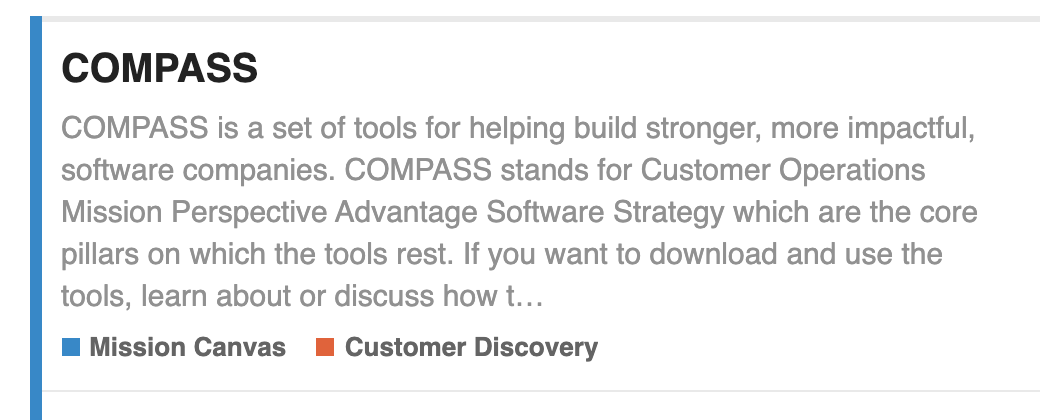
もちろん、テキストを整理して表示スペースに収まるように調整することもできますが、この部分に「展開>>」のようなボタンを追加する方法はないでしょうか?
よろしくお願いいたします。
Matt
こんにちは。
「カテゴリと注目トピックを表示」機能を使っていますが、とても便利です。ただ、Discourse が「About」投稿の最初の段落を切り落として表示してしまいます。
もちろん、テキストを整理して表示スペースに収まるように調整することもできますが、この部分に「展開>>」のようなボタンを追加する方法はないでしょうか?
よろしくお願いいたします。
Matt
設定ではありません。カテゴリの説明はマウスオーバー時などにも表示されるため、最初の約200文字が表示されます。
さらにどれくらい表示させたいのでしょうか?この程度の内容を見てから「展開」をクリックするのではなく、もしそんなに興味があるなら、直接トピックへ移動すればよいのでは?
デフォルトの300文字という最大文字数を変更して、より多くの文字を表示させたい場合は、設定/投稿 に移動し、投稿要約の最大文字数(投稿の要約/サマリーの最大長)までスクロールして、数値を増やしてください。ただし、これはあくまで要約であり、そのために存在することを忘れないでください。
こんにちは、ジムさん。
おっしゃる通りですが、「戦争と平和」と「ゲティスバーグ演説」の要約であれば、長さが異なることはお分かりいただけると思います。私は後者を目指しているのですが、要約の言葉選びをもう少し磨く必要があるかもしれません(サイトを改善するためにやるべきことは数十件あります)。その間、要約の最後の部分だけを表示する方法が欲しかったのです。それを実現する方法を教えていただき、ありがとうございます 
マット