Installing Discourse for the First Time Using Vultr Hosting

Hey guys,

I want to start a forum and I have chosen vultr for cloud compute. But am still confused on some details I read on this forum and online too. I use windows 10 and I don’t know if it relates to installing dicourse on a cloud server.

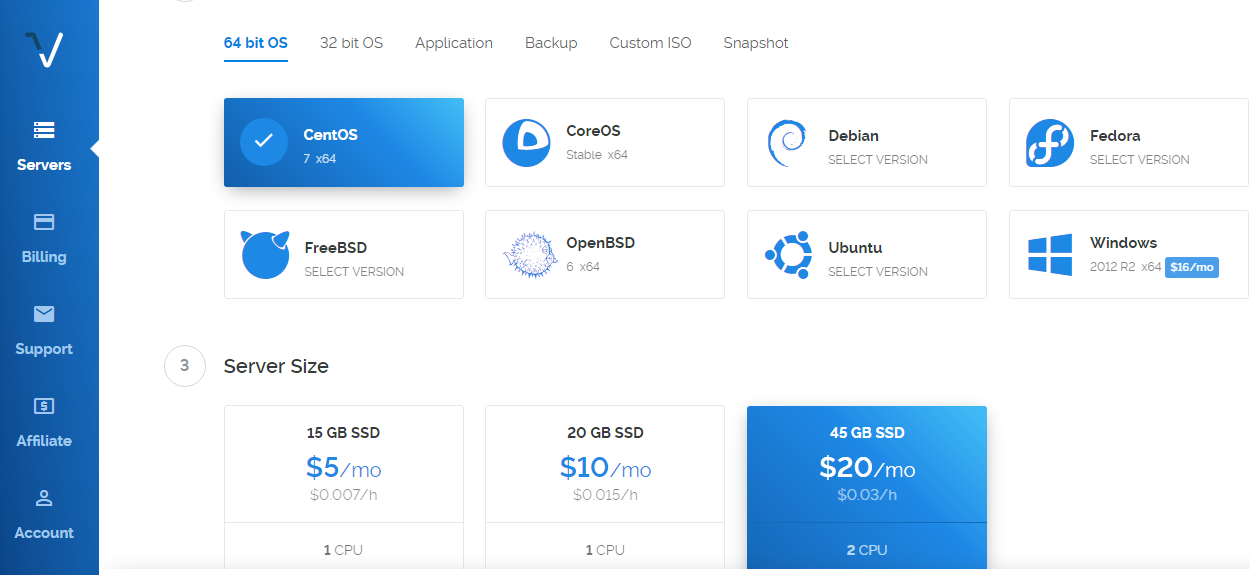
This is where I got stuck. Should I pick Windows or any other OS? Is it according the OS I use on my PC?

I just need someone to explain the whole process to me. Thanks

The OS you choose is the one that the cloud server will run. We recommend Ubuntu 16.04 as the OS for all installs.

Are you following these instructions?. They make it pretty clear that Ubuntu is what is recommended.

EDIT: Apologies if you are following those directions, but if you’re not, you’ll have another 100 questions that are supposed to be easy to find there.

Elo,

You want Ubuntu 16.04, the install instructions for discourse are in:
discourse/docs/INSTALL-cloud.md at main · discourse/discourse · GitHub

You also need to decide what email provider you want to use, and get that setup before you run ./discourse-setup , as that will ask you for information about your mail provider.

My advice is even if you get all the way through the install and everything works, play with it a bit i.e. create some categories, and some posts, and a couple of users, and get used to how updates, deletions, backups and such work, including the CLI commands and shutting down and restarting your server. Take notes about what commands you ran, and what they do.

Once you’ve familiarized yourself with the basic admin tasks, then start again from scratch before you start inviting people and go live with your forum.
Good luck.

https://www.vultr.com/docs/how-to-install-discourse-on-ubuntu-14-04

最新の手引きをお持ちの方はいらっしゃいますか?バージョン 18.04 用です。

唯一の公式ガイドはこちらです:discourse/docs/INSTALL-cloud.md at main · discourse/discourse · GitHub

このエラーが発生していますが、原因がわかりません。

サーバーはオンラインです

CloudFlareを無効にしてください。必要ありませんし、トラブルシューティングを難しくします。

サブドメインで使用したいのですが、CloudFlare なしで利用するにはどうすればよいでしょうか?メインドメインは WordPress で運用しています。

@Eduardo_Braga DNS レコードを追加していないように思われます。すべてのトラフィックを拾うために * を設定されているようです。Vultr の IP アドレスを使って forum 用の A レコードを追加してください。

更新:
@Eduardo_Braga
DNS はまだ Cloudflare を指しています - https://www.whatsmydns.net/#A/forum.meuxbox.com.br

A レコードがドメインと連結されているかどうかは不明です。Name フィールドにフルパス「forum.meuxbox.com.br」を指定していただけますか?

通常、A レコードを追加すれば、最短で 5〜10 分以内に世界中の少なくとも 1 つのサーバーで反映されます。しかし、どのサーバーでも反映されていないため、DNS のマッピングが正しく行われていないと思われます。

サブドメインの Cloudflare は、関連レコードのオレンジ色のクラウドをグレーに切り替えることでいつでも無効にできます。

動作しませんでした

@steven_so

DigitalOcean と Vultr でも試しました。

返信が遅くなり申し訳ありません。体調が優れません。

DigitalOcean の IP アドレスがサブドメイン(https://www.whatsmydns.net/#A/forum.meuxbox.com.br)と正しくリンクしていることを確認しました。

Discourse アプリはインストールされていますか?もしインストール済みの場合、アプリを再ビルドしていただけますか?