JagWaugh provides additional advice on email provider setup and testing the installation.
Eduardo_Braga shares a link to a Vultr guide for installing Discourse on Ubuntu 14.04, but Falco emphasizes that the only official guide is the one on GitHub.
Eduardo_Braga encounters an error, and codinghorror suggests disabling CloudFlare. Eduardo_Braga is unsure how to use the subdomain without CloudFlare, given their main domain is on WordPress.
steven_so helps Eduardo_Braga with DNS record setup, suggesting the addition of an A record for the subdomain. itsbhanusharma provides an alternative solution by disabling CloudFlare on the subdomain. However, Eduardo_Braga reports that the solution did not work.
steven_so eventually confirms that the digitalocean IP is linked to the subdomain and suggests re-building the Discourse app.
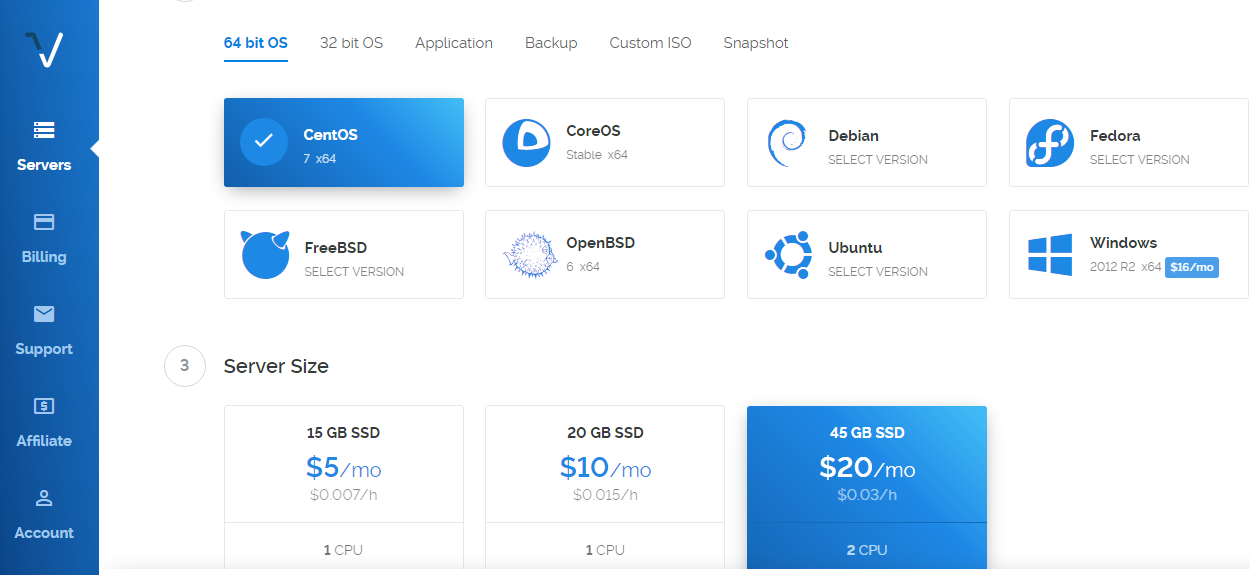
I want to start a forum and I have chosen vultr for cloud compute. But am still confused on some details I read on this forum and online too. I use windows 10 and I don’t know if it relates to installing dicourse on a cloud server.
This is where I got stuck. Should I pick Windows or any other OS? Is it according the OS I use on my PC?
I just need someone to explain the whole process to me. Thanks
Are you following these instructions?. They make it pretty clear that Ubuntu is what is recommended.
EDIT: Apologies if you are following those directions, but if you’re not, you’ll have another 100 questions that are supposed to be easy to find there.
You also need to decide what email provider you want to use, and get that setup before you run ./discourse-setup , as that will ask you for information about your mail provider.
My advice is even if you get all the way through the install and everything works, play with it a bit i.e. create some categories, and some posts, and a couple of users, and get used to how updates, deletions, backups and such work, including the CLI commands and shutting down and restarting your server. Take notes about what commands you ran, and what they do.
Once you’ve familiarized yourself with the basic admin tasks, then start again from scratch before you start inviting people and go live with your forum.
@Eduardo_Braga Acredito que você não adicionou o registro DNS e configurou * para capturar tudo. Você pode adicionar um registro A para forum com o endereço IP do Vultr.
Não tenho certeza se o registro A é anexado ao domínio ou não. Você pode fornecer o caminho completo “forum.meuxbox.com.br” no campo Nome?
Normalmente, se você adicionar o registro A, pelo menos um servidor o detecta em 5 a 10 minutos em todo o mundo. Como nenhum deles o detectou, o DNS não está mapeado corretamente.