Hey @merefield, danke für dieses Plugin! 
Ist es möglich, den Benutzerstandort zu verwenden, um Benutzer automatisch in Gruppen einzuteilen? Beispiel: Ein Benutzer befindet sich in Deutschland und wird automatisch der Gruppe „Deutschland
Hey @merefield, danke für dieses Plugin!
Ist es möglich, den Benutzerstandort zu verwenden, um Benutzer automatisch in Gruppen einzuteilen? Beispiel: Ein Benutzer befindet sich in Deutschland und wird automatisch der Gruppe „Deutschland
Derzeit nicht automatisiert. Sie könnten jedoch möglicherweise einen kreativen Algorithmus in der Rails-Konsole entwickeln, um dies ad hoc umzusetzen. Als Einstieg dazu sehen Sie bitte Locations Plugin 🌍 - #684 by merefield. Beachten Sie dabei, dass die Eingabe von Standorten ebenfalls freiwillig ist.
Sie könnten auch das Custom Wizard-Plugin zusammen mit dem National Flags-Plugin in Betracht ziehen, um die Länder der Benutzer zu erfassen. (Dies würde beim freiwilligen Teil helfen)
Hallo Robert,
wieder ich  Es gibt ein weiteres Problem bei der Benutzersuche auf der /u-Seite. Wenn man einen Benutzernamen in dieses Feld eingibt, passiert nichts.

Kein Fehler in /logs.
In der Konsole 
Ich bin mir nicht sicher, aber vielleicht liegt es an diesem Commit.
Vielen Dank! 
Vielen Dank für den Bericht.
Da es sich um ein nicht kritisches Problem handelt, werde ich mich wahrscheinlich später im Monat damit befassen.
Bitte beachten Sie den Unterstützungszeitraum für Upgrades. Wir wissen es zu schätzen, dass dies innerhalb dieses Zeitraums gemeldet wurde. Wir tun unser Bestes, um kritische, unterbrechende Änderungen, die in diesem Zeitraum auftreten, zu behandeln.
Ich hatte einen Moment Zeit und habe es mir angesehen. Hoffentlich ist es jetzt behoben. Danke für deine Geduld: COMPATIBILITY: a fix for users page to take account of recent core ch… · merefield/discourse-locations@e0f47d5 · GitHub
Danke, Robert! Funktioniert fantastisch! 
Fortsetzung des von @James_Higginson hier aufgeworfenen Themas und unter Annahme dieses Anwendungsfalls, wie von @Robert in diesem Beitrag angegeben: Hat jemand einen Vorschlag, wie man dieses Szenario vermeiden kann, das anscheinend nur dazu führt, dass Community-Mitglieder hinterfragen, ob ein Fehler in der zugrunde liegenden Software vorliegt?
Wie in der obigen Grafik zu sehen ist, hat dieser Benutzer einen Standort eingegeben, der jedoch nicht im Benutzerfeld angezeigt wird. Der einzige Hinweis (der für einen zufälligen oder unerfahrenen Betrachter vielleicht nicht offensichtlich ist) ist das Info-Symbol und der Text „Ihr Standort wird öffentlich angezeigt
Hey Graham (btw, ich bin nicht @ Robert), ich habe mir das für dich angesehen, und ich denke, das Problem liegt in der Time-out-Einstellung. Versuche es mal, indem du sie erhöhst.
Weitere Informationen findest du hier: Pavilion
cc: @James_Higginson
@merefield Ups! Entschuldigung, mein Fehler 
Danke für die Info, die @James_Higginson sicher nun aufgreifen wird.
G
Danke, Leute, ich probiere das jetzt aus!
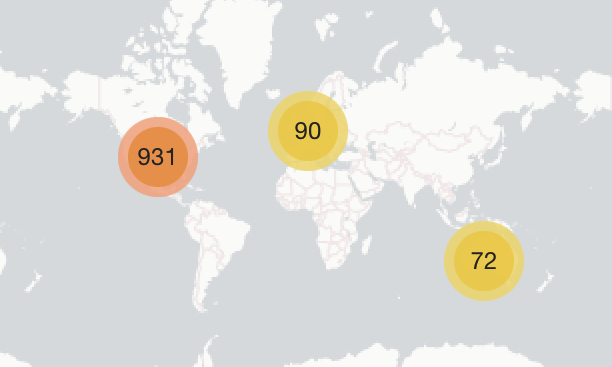
Über tausend unserer Mitglieder haben sich nun auf der Karte eingetragen, und sie lädt trotzdem noch ziemlich schnell 
Nochmals vielen Dank für die fortlaufende Pflege dieses Plugins @angus @merefield 
Auch eine wirklich erstaunliche Community-Beteiligung, Leute!
Was könnte dazu führen, dass ein Benutzer auf seiner Benutzerkartenkarte angezeigt wird:
aber nicht auf der vollständigen Benutzerkarte:
@Richie, wie viele Benutzer zeigst du auf deiner Karte? Bei mir scheint es bei 1093 hängen zu bleiben.
Vielleicht gibt es dafür eine Art Limit für das Plugin?
Hallo @omarfilip, auf unserer Karte wird derzeit 1205 angezeigt:
Es scheint ein selbstverschuldetes Problem gewesen zu sein. Ich hatte location users map limit auf 1100 gesetzt. Wo die 7 (1100-1093) geblieben sind, weiß ich allerdings nicht.
Nachdem die Einstellung erhöht wurde, funktioniert die Karte bei 1297 gemappten Nutzern wieder normal:
Ich wollte ein sehr kleines (und seltenes) UX-Problem melden.
Ein Benutzer in einem Forum, das ich mitverwalte, hatte einen sehr langen Standort. Das kann in einigen Gebieten Frankreichs vorkommen.
Um die Benutzerinformationen zu schützen, habe ich den Standort bearbeitet, um das Problem zu zeigen
Ich habe es lokal mit etwas CSS behoben, aber falls es jemanden anderen interessiert, hier ist die Quelle des Problems
.location-selector-container .ac-wrap {
    box-sizing: border-box;
    height: 34px;
}
Ich habe diese Korrektur vorgenommen, die in Ordnung sein sollte
.location-selector-container .ac-wrap {
    min-height: 34px;
    height: auto;
}
Hallo Robert,
gestern habe ich versucht, unsere Website auf Ember CLI zu aktualisieren, und bemerkte einen Fehler mit dem Locations Plugin. Wenn ich ein Thema erstelle, wird dieser Fehler in der Konsole angezeigt und das Thema wird nicht geladen, nur der Titelbereich. Es war nur ein Test, um zu sehen, ob alles funktioniert. Nachdem ich es überprüft hatte, bin ich jetzt von Ember CLI zurückgekehrt. Danke
Ah danke, das ist eine einfache Lösung.
Entschuldigung, ich war in den letzten Tagen mit TLP und anderen Projekten beschäftigt. Ich werde versuchen, diese Korrektur heute vorzunehmen, obwohl es möglicherweise nicht das einzige Problem ist! Ich habe das noch nicht auf Ember-CLI überprüft.