Ehi @merefield, grazie per questo plugin! 
È possibile utilizzare la posizione dell’utente per inserirlo automaticamente nei gruppi? Ad esempio, se l’utente si trova in Germania, viene aggiunto automaticamente al gruppo Germania.
Grazie ancora!
Ehi @merefield, grazie per questo plugin!
È possibile utilizzare la posizione dell’utente per inserirlo automaticamente nei gruppi? Ad esempio, se l’utente si trova in Germania, viene aggiunto automaticamente al gruppo Germania.
Grazie ancora!
Attualmente non automatizzato. Tuttavia, potresti riuscire a creare un algoritmo creativo nella console di Rails per ottenerlo su base occasionale. Per iniziare, consulta Locations Plugin 🌍 - #684 by merefield. Dovrai tenere conto del fatto che l’inserimento della località è anche facoltativo.
Potresti anche valutare l’utilizzo del plugin custom wizard insieme al plugin delle bandiere nazionali per raccogliere i paesi degli utenti. (Questo aiuterebbe per la parte facoltativa)
Ciao Robert,
Ancora io  C’è un altro problema con la ricerca utenti nella pagina /u. Quando digiti un nome utente in questo campo, non succede nulla.

Nessun errore nei /logs.
Nella console 
Non sono sicuro, ma potrebbe essere causato da questo commit.
Grazie! 
Grazie per la segnalazione.
Dato che si tratta di un problema non critico, probabilmente lo esaminerò più avanti nel mese.
Ti invitiamo a prendere nota del periodo di supporto per gli aggiornamenti. Apprezziamo il fatto che sia stato segnalato entro tale periodo. Facciamo del nostro meglio per gestire le modifiche critiche che si presentano durante questo lasso di tempo.
Ho avuto un momento libero, quindi ho dato un’occhiata. Spero che ora sia stato risolto, grazie per la pazienza: COMPATIBILITY: a fix for users page to take account of recent core ch… · merefield/discourse-locations@e0f47d5 · GitHub
Grazie Robert! Funziona fantasticamente! 
Continuando la questione sollevata da @James_Higginson qui e accettando questo come caso d’uso come indicato da @Robert in questo post, qualcuno ha qualche suggerimento su come evitare questo scenario, che sembra incoraggiare solo i membri della comunità a chiedersi se ci sia un difetto nel software sottostante?
Come si può vedere nella grafica sopra, questo utente ha inserito una località, ma non viene visualizzata nel campo utente. L’unico indizio (che potrebbe non essere ovvio per un osservatore occasionale o inesperto) è l’inclusione dell’icona delle informazioni e delle parole “La tua località verrà visualizzata pubblicamente” sotto un campo vuoto, suggerendo un errore o una cattura incompleta, e che l’icona delle informazioni e il testo non siano effettivamente associati al completamento corretto del campo.
Queste immagini provengono dalle pagine delle impostazioni di Amministrazione a titolo di riferimento:
Ehi Graham (a proposito, non sono @ Robert), ho dato un’occhiata a questo per te e penso che il problema sia nelle impostazioni del timeout. Prova ad aumentarlo.
Per ulteriori informazioni, consulta: Pavilion
cc: @James_Higginson
@merefield Ops! Scusa, mia colpa 
Grazie per le informazioni, che sono sicuro @James_Higginson affronterà ora.
G
Grazie ragazzi, proverò subito!
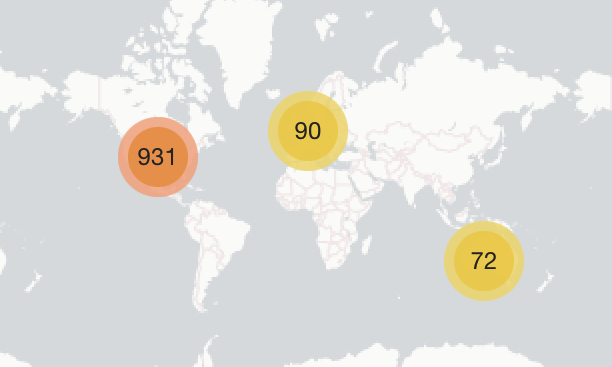
Oltre mille dei nostri membri si sono aggiunti alla mappa e sta ancora caricando abbastanza velocemente 
Grazie ancora per il continuo supporto a questo plugin @angus @merefield 
Anche un coinvolgimento della comunità davvero incredibile, ragazzi!
Cosa potrebbe causare il fatto che un utente venga mostrato sulla sua mappa della scheda utente:
ma non sulla mappa completa degli utenti:
@Richie, quanti utenti mostri sulla tua mappa? Il mio sembra bloccato a 1093.
Forse si tratta di un limite del plugin?
Ciao @omarfilip, attualmente sulla nostra mappa ne mostriamo 1205:
Sembra che sia stata una ferita autoinflitta. Avevo impostato location users map limit su 1100. Non sono sicuro di dove siano andati i 7 (1100-1093).
Con l’impostazione aumentata, la mappa funziona di nuovo normalmente con 1297 utenti mappati:
Volevo segnalare un problema UX molto minore (e raro).
Un utente in un forum che co-gestisco aveva una località molto lunga. Può succedere in alcune zone della Francia.
Per proteggere le informazioni dell’utente, ho modificato la località per mostrare il problema
Ho risolto localmente con un po’ di CSS, ma nel caso qualcun altro fosse interessato, ecco la fonte del problema
.location-selector-container .ac-wrap {
    box-sizing: border-box;
    height: 34px;
}
Ho apportato questa correzione, che dovrebbe andare bene
.location-selector-container .ac-wrap {
    min-height: 34px;
    height: auto;
}
Ciao Robert,
Ieri ho provato ad aggiornare il nostro sito a Ember CLI e ho notato un errore con Locations Plugin. Se creo un argomento, genera questo errore nella console e l’argomento non viene caricato, solo la sezione del titolo. Era solo un test per verificare che tutto funzionasse, quindi dopo averlo controllato sono tornato da Ember CLI. Grazie
Ah grazie, è una soluzione facile.
Mi dispiace, sono stato impegnato con TLP e altri progetti negli ultimi giorni. Cercherò di risolvere quel problema oggi, anche se potrebbe non essere l’unico problema! Non l’ho ancora controllato su Ember-CLI.