I’m currently using this: GitHub - davidmh/discourse-giphy: Giphy integration for discourse · GitHub
1 Mi Piace
The plugin has been updated to support SVG icons with Font Awesome 5
2 Mi Piace
I’ve added this plugin following the guidelines on the github page, but it doesn’t work! I’ve also added it under hooks, but the problem persists. How can I properly install it, or uninstall if it doesn’t work eventually? Thanks in advance!
To uninstall, you simply remove it from your app.yml.
Are you running on HTTPS? Did you add the template to support a reverse proxy?
3 Mi Piace
Fixed! Thank you very much!
3 Mi Piace
Thanks for this great plugin.
I just have a little issue, the icon to insert a Gif doesn’t appear in the window, do you have any idea where it could come from ?

Core’s icons changed to be based on fontawesome 5 sets, which is probably why the icon’s missing. The plugin would need to be updated here to support it.
3 Mi Piace
I don’t think that is it… it already supports FA 5.
3 Mi Piace
On latest, on my sandbox, the icon works fine…

I need to know the Discourse version and if there are any console related errors on your site.
4 Mi Piace
Quindi… funziona ancora per qualcuno?
Non ho dato un’occhiata a questo plugin da alcuni anni, ma oggi l’ho fatto… e il mondo è ora in https: dopo aver utilizzato la soluzione di reverse proxy, il JSON restituito contiene ancora URL con http://, quindi non vengono visualizzati a causa del contenuto misto?
4 Mi Piace
Aggiornamento: abbiamo risolto il problema sopra riportando quanto segue nella nostra configurazione nginx.
(Dichiarazione di non responsabilità: non so se l’immagine Docker includa il modulo ngx_http_sub_module)
  location /replygif/ {
        proxy_pass http://replygif.net/;
        proxy_set_header Accept-Encoding "";
        sub_filter http://replygif.net/ /replygif/;
        sub_filter_once off;
        sub_filter_types application/json;
  }
L’URL dell’API nelle tue impostazioni dovrebbe essere https://ilnomedeltuoforum/replygif/api/ se utilizzi questa configurazione.
@PaulinaMX ora funziona sul tuo forum
7 Mi Piace
@RGJ Grazie mille  le categorie funzionano perfettamente, sembra solo che i tag non funzionino.
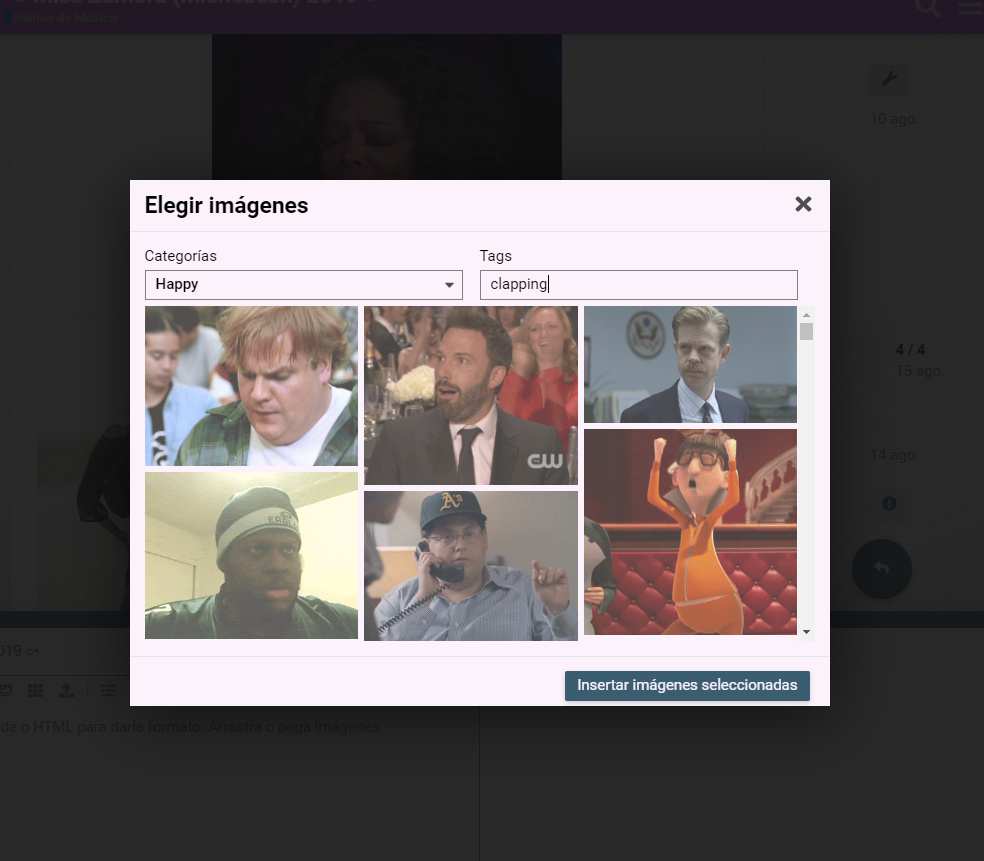
Sembra che il problema sia nel plugin stesso. @cpradio, hai qualche idea?
1 Mi Piace
@cpradio Abbiamo bisogno di te
Questo risolverebbe il problema di blocked:mixed-content, dato che i browser attuali bloccano i contenuti HTTP provenienti da siti HTTPS?
È necessario seguire le istruzioni del proxy.
Nel README è presente una sezione relativa a HTTPS.
TL;DR: La configurazione del proxy è presente, ma non risolve il problema, poiché i link non proxy vengono comunque recuperati.
Dettagli:
Ho esaminato il server ed è configurato secondo le tue istruzioni. Sono entrato nel container per ispezionare discourse.conf e ho riscontrato che il proxy pass era correttamente impostato.
Utilizzando gli strumenti per sviluppatori di Chromium (Rete), vedo le richieste passare attraverso il proxy, ad esempio https://mycompany.com/replygif/gifs?api-key=39YAprx5Yi&reply=Angry. Questa restituisce un JSON con URL come http://replygif.net/i/1032.gif.
Successivamente, la connessione di rete dal mio browser client richiede le miniature, ad esempio http://replygif.net/thumbnail/176.gif. Questo ovviamente fallirà, poiché la CSP blocca i contenuti misti (http + https).
Non conosco il funzionamento dell’applicazione ember.js, ma deducendo dal traffico di rete, sembra che ci siano richieste per ottenere un JSON contenente URL delle immagini che vengono successivamente recuperate per le miniature, ma questi stessi link alle immagini non funzioneranno e il proxy pass non risolverà il problema.
Per risolvere la situazione, sembra che l’app ember stessa debba essere configurata per riscrivere questi riferimenti URL in modo che corrispondano allo stesso URL referenziato attraverso il proxy, ad esempio https://mycompany.com/replygif/thumbnail/176.gif.
Pareri? Suggerimenti?
1 Mi Piace
Non sembra ci sia molto che io possa fare a riguardo. Sembra che replygif non supporti ancora HTTPS.
2 Mi Piace
Sono un principiante in queste cose, c’è una guida passo dopo passo per configurare un reverse proxy per questo plugin?
Sito sicuro, ospitato su DigitalOcean, se questo può aiutare.
Sì, il file README ti guida attraverso i passaggi. Include persino il comando wget per posizionare il modello nella directory corretta; a quel punto, si tratta solo di aggiornare il file app.yml per utilizzare il modello.
2 Mi Piace