I’m currently using this: GitHub - davidmh/discourse-giphy: Giphy integration for discourse · GitHub
1 个赞
The plugin has been updated to support SVG icons with Font Awesome 5
2 个赞
I’ve added this plugin following the guidelines on the github page, but it doesn’t work! I’ve also added it under hooks, but the problem persists. How can I properly install it, or uninstall if it doesn’t work eventually? Thanks in advance!
To uninstall, you simply remove it from your app.yml.
Are you running on HTTPS? Did you add the template to support a reverse proxy?
3 个赞
Fixed! Thank you very much!
3 个赞
Thanks for this great plugin.
I just have a little issue, the icon to insert a Gif doesn’t appear in the window, do you have any idea where it could come from ?

Core’s icons changed to be based on fontawesome 5 sets, which is probably why the icon’s missing. The plugin would need to be updated here to support it.
3 个赞
I don’t think that is it… it already supports FA 5.
3 个赞
On latest, on my sandbox, the icon works fine…

I need to know the Discourse version and if there are any console related errors on your site.
4 个赞
那么……这对大家来说还能用吗?
我有好几年没看过这个插件了,但今天我看了看……现在全世界都是 HTTPS 了——在使用反向代理解决方案后,返回的 JSON 中仍然包含带有 http:// 的 URL,所以它们因为混合内容问题而无法显示吗?
4 个赞
更新:我们已通过在 nginx 配置中执行以下操作修复了上述问题。
(免责声明:我不确定 Docker 镜像是否包含 ngx_http_sub_module)
  location /replygif/ {
        proxy_pass http://replygif.net/;
        proxy_set_header Accept-Encoding "";
        sub_filter http://replygif.net/ /replygif/;
        sub_filter_once off;
        sub_filter_types application/json;
  }
如果使用此配置,您的设置中的 API URL 应为 https://yourforumname/replygif/api/。
@PaulinaMX 这现在已在您的论坛上生效。
7 个赞
@RGJ 非常感谢  分类功能运行完美,但标签似乎无法正常工作。
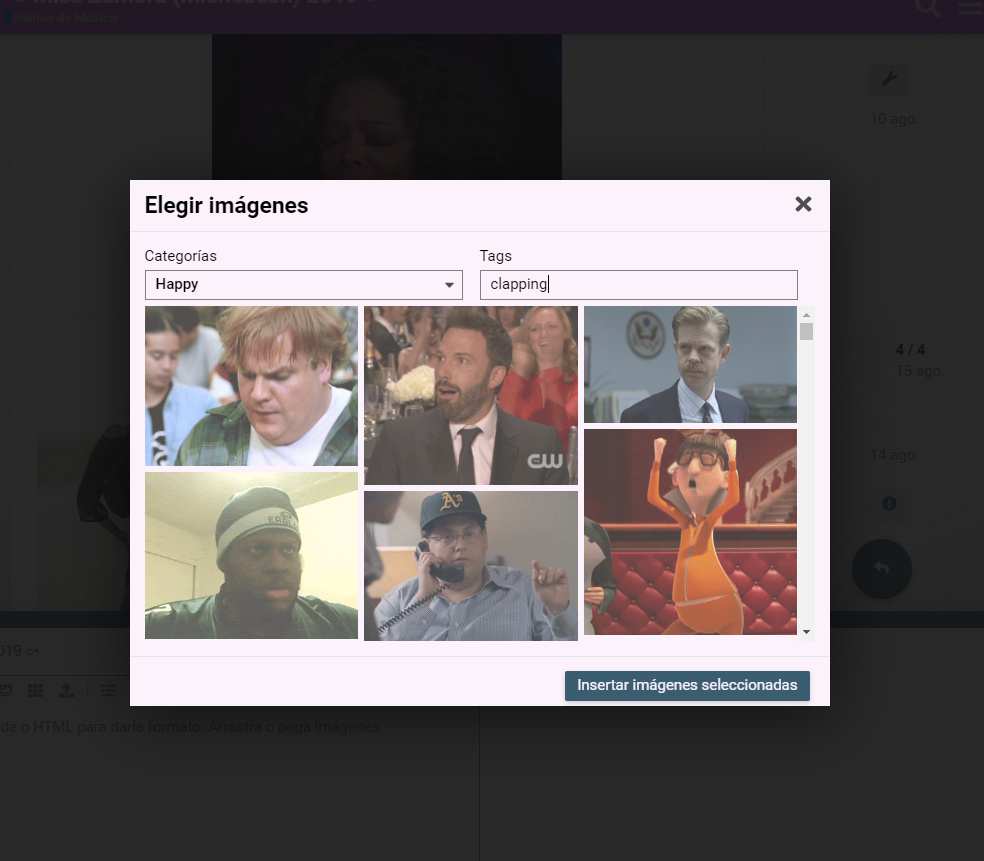
这似乎是插件本身的问题。@cpradio 你有什么想法吗?
1 个赞
@cpradio 我们需要你
这能解决 blocked:mixed-content 问题吗?因为当前浏览器会阻止 HTTPS 网站加载 HTTP 内容。
您需要遵循代理说明。
README 中有关于 HTTPS 的章节。
TL;DR:代理配置已生效,但问题仍未解决,因为非代理链接仍被直接获取。
详细说明:
我检查了服务器,其配置已按照您的说明完成。我进入容器内部检查了 discourse.conf 文件,发现代理转发(proxy pass)设置正确。
使用 Chromium 开发者工具(Network 面板)可以看到请求确实通过代理发出,例如:https://mycompany.com/replygif/gifs?api-key=39YAprx5Yi&reply=Angry。该请求返回一个 JSON,其中包含如 http://replygif.net/i/1032.gif 这样的 URL。
随后,我的客户端浏览器会请求缩略图,例如 http://replygif.net/thumbnail/176.gif。这显然会失败,因为 CSP(内容安全策略)会阻止混合内容(HTTP 与 HTTPS 混用)。
我不确定 Ember.js 应用的具体工作原理,但从网络流量推断,似乎存在获取包含图片 URL 的 JSON 的请求,这些 URL 随后用于加载缩略图。然而,这些图片链接本身无法正常工作,而代理转发也无法解决此问题。
要解决此问题,似乎需要配置 Ember 应用本身,使其重写这些 URL 引用,使其通过代理访问,例如将 http://replygif.net/thumbnail/176.gif 改写为 https://mycompany.com/replygif/thumbnail/176.gif。
您有什么想法或建议吗?
1 个赞
看来我对此无能为力。因为 replygif 似乎仍然不支持 HTTPS。
2 个赞
我对这些还不太熟悉,有没有针对这个插件设置反向代理的逐步指南?
网站已加密,托管在 DigitalOcean 上,如果这有帮助的话。
是的,README 文件会引导你完成每一步。其中甚至包含了将模板放置到正确位置的 wget 命令,之后只需更新你的 app.yml 以使用该模板即可。
2 个赞