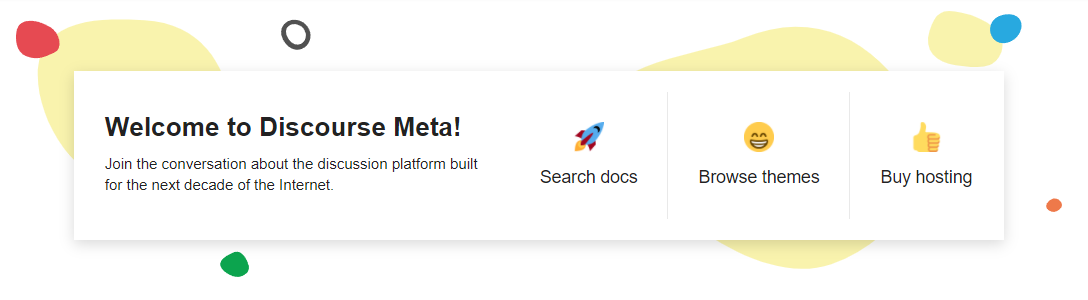
问题:横幅颜色默认是否遵循主题颜色,例如论坛是否处于黑暗模式?
另外,两个功能请求:
- 如果能够将对齐方式更改为左对齐而不是居中对齐,那将是非常棒的(尽管我认为这可以通过 CSS 轻松实现)
- 我很想能够使用表情符号而不是 Font Awesome 图标
问题:横幅颜色默认是否遵循主题颜色,例如论坛是否处于黑暗模式?
另外,两个功能请求:
根据我的经验,是的:请参阅我在这里的截图:Third migration, once again for a niche forum (Volkswagen Campers vans)
有点取巧……但你只能用 CSS 来实现:
.featured-todo div {
    h3 {
        background: no-repeat top center;
        background-size: 30px 30px; // emoji width and height
        padding-top: 45px; // emoji height + 15 px margin down
        svg {
            display: none !important;
        }
    }
    &:first-child h3 {
        background-image: url("https://emoji.discourse-cdn.com/twitter/rocket.png");
    }
    &:nth-child(2) h3 {
        background-image: url("https://emoji.discourse-cdn.com/twitter/grin.png");
    }
    &:last-child h3 {
        background-image: url("https://emoji.discourse-cdn.com/twitter/+1.png");
    }
}
你指的是哪一部分?
感谢您的帮助 @Canapin
这三个链接及其图标,我希望文本和图标在桌面和移动设备上都左对齐,而不是居中对齐。我具备基本的 CSS/HTML 知识,但无法通过开发者工具找到更改方法。
带图标:
.featured-todo div h3 {
    display: flex;
    align-items: center;
    svg {
        margin: 0 10px 0 0 !important;
    }
}
带表情符号:
.featured-todo div {
    h3 {
        display: flex;
        align-items: center;
        background: no-repeat left center;
        background-size: 30px 30px; // 表情符号宽度和高度
        padding-left: 45px; // 表情符号宽度 + 15 像素左边距
        svg {
            display: none !important;
        }
    }
    &:first-child h3 {
        background-image: url("https://emoji.discourse-cdn.com/twitter/rocket.png");
    }
    &:nth-child(2) h3 {
        background-image: url("https://emoji.discourse-cdn.com/twitter/grin.png");
    }
    &:last-child h3 {
        background-image: url("https://emoji.discourse-cdn.com/twitter/+1.png");
    }
}
注意:我没有在移动设备上测试过这些自定义设置。