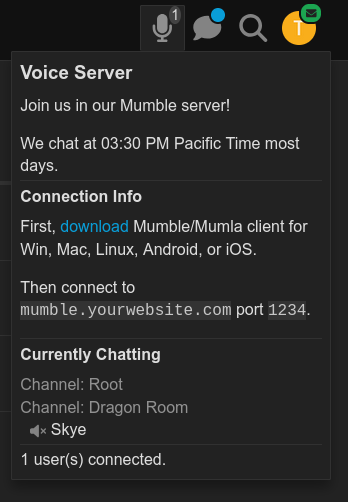
Not misremembering, just old school 
This was added just 10 years ago in Mumble 1.3, when Mumble itself was over 10 years old.
It was the primary complaint about Mumble for a very long time.
Not misremembering, just old school
This was added just 10 years ago in Mumble 1.3, when Mumble itself was over 10 years old.
It was the primary complaint about Mumble for a very long time.
I just played around with this and it’s super cool! Wanted to give some initial feedback.
I tried this out, and doesn’t show the other participants screenshare volume separately from their speech volume. It only shows one combined slider for both their voice and screenshare audio. Did I miss a slider or misunderstand? (My use case is being able to mute/lower the volume of someone’s game stream but still hear them talk.)

Anyway, great work on this – it’s a huge step forward for Discourse and I’m very excited by it! 
Lots of great feedback, just want to highlight something
This has been my main challenge so far, and it reaches across platforms, as streaming my 7680x2160@240Hz gaming sessions via the browser, who lack hardware encoding is impossible.
So I’m exploring handling this, and features like global PTT, via a native desktop app, that can allow us to handle those integrations better.
Thank you; the native desktop app sounds intriguing, but please also support the existing open streaming standards since at least in my friend group, everyone already has OBS installed, trusts it, and knows how to point it somewhere. (Admittedly, this is more common among gamers than other less-technical users)
(Edit - just to be clear, the native app does also sound cool. Having all my forums in one UI would be handy)
In a way, I agree with you, meaning it’s not Zoom. But I also allow myself to somewhat disagree because fortunately OBS is a standard used in many fields!
I had a small issue with the rebuild today because I had previously tested the plugin under the name ‘Resenha’, which, by the way, I was quite sad about when it was changed to ‘Voice’.
This solved my problem:
Now, about the plugin itself, I noticed — and it might just be my impression because I rebuilt it after nearly two weeks with over 300 commits — that something made me appear in the #who-is-online channel when I tested voice on my instance, even though the toggle was set to ‘Offline’. Is this expected?
This should be fixed soon: FIX: Do not overwrite permissions after editing - Pull Request #43496 - discourse/discourse - GitHub
Is it possible to provide in our hosted>about page>site activity>(say) 5 voice chats in the last 7 days? Or whatever wording is appropriate?
Our use case is to show as much activity to help in getting new members to join.
Could you invite groups to a voice room instead of individual users? I realize that gets messy on the Members Page if you have to remove someone who’s still in that group, etc.
We’re going to roll this out for some active customer-facing projects we have going on, but it’s 17 groups with all different people 
Yeah, this is basically the reason why it works like this.
If you want to gate the entire feature to members of those 17 groups that’s doable via the site setting, but the one time invite is per user (too easy to become spam amplification) and the room membership itself is per user (keeping it sync with groups would be a future improvement).
Totally fair. Doesn’t appear to be a way to do this via API either 
Am I missing something with the invitation link method? I shared the link to a test account that is in the approved groups but I’m getting the Oops! That page doesn’t exist or is private when I try to click it with my test user.
Update: Heck, even if I invite that user and see the voice channel on the sidebar, clicking the link takes me to that Oops page.
We handle some of this logic for adding and removing people to chat channels already, if the channel is associated with a private category.
Falco, I can’t remember if we already have a way to associate a voice channel with a chat channel or not. I know we discussed that in the past with DMs. But that might be an approach here.
Alternatively, we could copy what we’re doing for chat channels and allow for categories to act as the access control layer (though I know we’ve often discussed removing that layer of indirection and allowing one to set access directly at the channel level).
If you also want to restrict the whole feature overall to a set of groups, I think that’d still need to be managed via the site setting. A workflow could help manage some level of automation or consistency checking for that, perhaps.
@martin this may have some overlap with the generic access control stuff you’ve been working on.
It may be worth catching up with @awesomerobot about about making a broader push with that soon so we can think about how to apply that aspect of things more consistently throughout the app.
That’s weird, are those test users in any weird, like in a trust level that doesn’t allow access?
Yup, that’s on the roadmap.
Definitely wasn’t a blocker to release, and it’s such a convoluted part of the app that our efforts could be better used getting the core of audio and video right, but something I will follow up in the coming months.
Replied on dev, but the new ACL system should be great for this, rather than using the old convoluted permission-by-category-inheritence
I don’t believe so. I just shifted my test user up to TL3, so it’s definitely not a TL restriction. Something about the invitation link itself seems broken. See below when accessing it through normal means (the link performs the same whether my user has access or not).
Unfortunately, these groups operate only via DMs, so there’s no per-category marriage to rely on.
I think sharing an invitation link in a DM will be sufficient once we figure out why it’s not working
I noticed that every time I join a voice room with room type set to open, the user automatically turns on their microphone. This also happens when a speaker joins a stage voice room. I wonder if it’s possible to allow the administrator to set whether the microphone should be turned on automatically upon joining.
Wouldn’t that be confusing?
The style of “work” meeting apps like Zoom, Teams, Meet, have this when a participant threshold is crossed, but this was never a behavior in the school of apps we took inspiration from, like TeamSpeak, Ventrillo, Mumble, Discord, etc.
I feel like this extra step doesn’t really have much prior art, and feels like an extra step that further complicates UX for newbies.