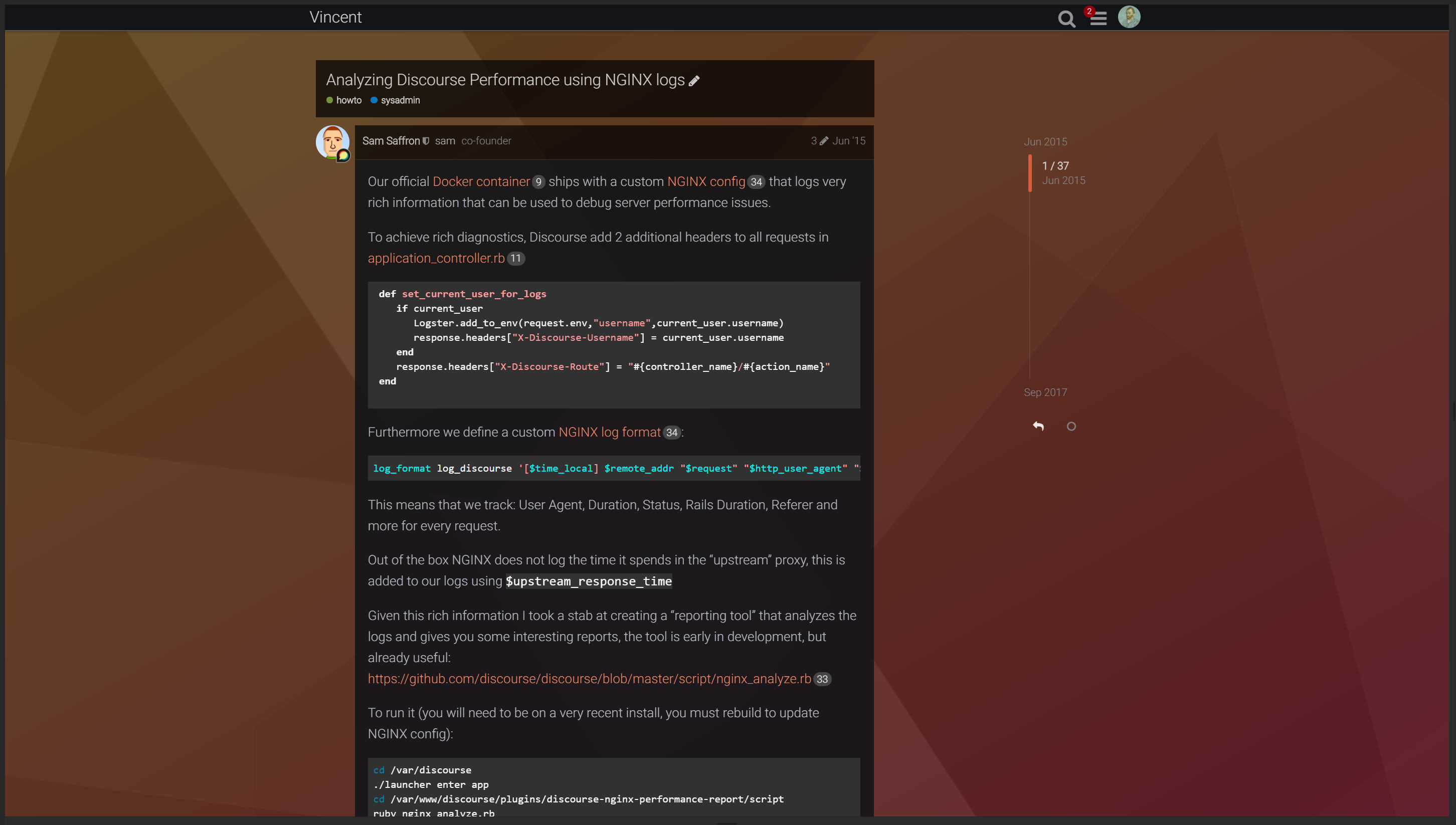
Discourse Vincent theme

This post is a WIP

Beta testers needed for a new theme.


Theme repo:

GitHub - discourse/discourse-vincent-theme: v0.77 · GitHub

Compressed Screenshots:

will look much better on your screen, image compression cases artifacts / blur. Also, I will update the screenshots as the theme takes shape

Homepage

Composer

Topic page

Topic replies


Color schemes

Vincent Dark Blue

Vincent Dark Red

Vincent Dark Green

Vincent Dark Magenta

Vincent Dark Orange

Vincent Dark Teal


custom backgrounds

(these are samples only, you need to provide your own background images)


Installation:

Don’t forget to set the color scheme to one of the color schemes that come with the theme


The thin header is optional. If you want the thin header you need to add a theme component which you can find here:


This is a beta theme. Kindly report any issues in this post.

Feedback / suggestions welcome

「いいね!」 42

カテゴリの作成で問題を抱えている方はいますか?ハンバーガーメニューをクリックするたびに、その下に「+」が追加されるだけで、どこにも移動しません。

「いいね!」 4

私も同じ現象が発生しています :frowning:

久しぶりに新しいカテゴリを作成しなかったので、気づきませんでした。

「いいね!」 3

私も試しに確認したところ、同じ問題が発生しました。どうやら、カテゴリ管理用ドロップダウンを作成するコードが Discourse 側で変更されたようです。テーマを以下のコードに更新してドロップダウンを作成すると、問題が解決するようです:

{{#if showCategoryAdmin}}
    {{categories-admin-dropdown
    onChange=(action "selectCategoryAdminDropdownAction")
  }}
{{/if}}

近日中に修正いたします。

「いいね!」 8

初心者向けの質問ですが、これをどこに適用すればよいでしょうか?

「いいね!」 1

テーマの /head セクションを編集して適用しました。以下のコードブロックを置き換えました。

  {{#if showCategoryAdmin}}
    {{categories-admin-dropdown
      create=createCategory
      reorder=reorderCategories}}
  {{/if}}

以下のように変更しました。

  {{#if showCategoryAdmin}}
      {{categories-admin-dropdown onChange=(action "selectCategoryAdminDropdownAction") }}
  {{/if}}

ただし、テーマを手動で編集する必要があり、これは理想的ではありません。テーマの「最新バージョンに更新」ボタンをクリックするだけで変更できるように修正いたします。

「いいね!」 5

このテーマのメインテキストの色を変更するにはどうすればよいですか?

また、以下の問題がまだ続いています:

元の Discourse テーマと同様に、「new」や「unread」メニューは、新しいトピックがある場合以外は非表示であるべきです。

まだ進行中ですか?

はい、私も同じ現象が起きていました。別のテーマに切り替えてカテゴリを作成し、その後、Vincent テーマに戻すことで解決しました。

元のスレッドで表示されている追加のカラーテーマにアクセスするにはどうすればよいですか?「Dark Green」に変更したいのですが、設定では「Vincent Dark」しか表示されません。

このトピックは #customization:theme:broken-theme に移動されたため、このテーマはメンテナンスが終了している可能性が高いです。Vincent のテーマは単独でも十分に機能していましたが、フォークを維持するリソースがなかったため、Chrome 拡張機能を使ってフォーラムにいくつかの微調整を施しています。それらは多少個人的な好みが入っており、すべての問題をカバーしているわけではありません。また、公式に修正済みのバグを修正するためのものや、少し古くなっているものもあるかもしれませんが、誰かの役に立つかもしれません。

/************************************ 
モバイル固有の修正 / 微調整
************************************/

/* パディングの不良を修正 */
.form-vertical, 
.user-main .about .primary,
.user-main .about .secondary,
.user-main .user-content {
    padding: 15px;
}

/* ヘッダーロゴの下部が切り欠かれるのを修正 */
.d-header #site-logo {
    max-height: 2.6em;
}

/* ロック/非公開メッセージのサイズが不均一なのを修正、スレッド右側の謎のスペースを修正 */
.small-action {
    width: 100%;
}

/* YouTube 埋め込みが中央寄せされないのを修正 */
.lazyYT-container {
    margin: 12px 20px;
}

/* タブレットでのトピックリストのパディングを修正 */
#list-area .contents tbody td {
    padding: 10px 15px;
}

/************************************
汎用およびデスクトップ固有の修正 / 微調整 
************************************/

/* html 上の .font-helvetica によってフォントが上書きされるのを修正 */
html {
    font-family: "Assistant", sans-serif !important;
}

/* カテゴリカラーバッジを四角くする */
span.badge-category-bg, span.badge-category-parent-bg, span.badge-category-parent-bg+.badge-category-bg {
    border-radius: 0;
}

.badge-wrapper.bullet .badge-category-parent-bg,
.badge-wrapper.bullet .badge-category-parent-bg+.badge-category-bg,
.extra-info-wrapper .badge-wrapper.bullet .badge-category-parent-bg {
    width: 4px;
    min-width: 4px;
}

span.badge-category-parent-bg {
    border-right: 1px solid rgba(0,0,0,0.2);
}

span.badge-category-parent-bg+.badge-category-bg {
    border-left: 1px solid rgba(0,0,0,0.2);
}

/* スレッドが細すぎ、ページ下部のコントロールと奇妙な配置になっているのを修正 */
.topic-post {
    max-width: 758px;
}

.topic-post .embedded-posts {
    width: 758px;
}

#topic-title .title-wrapper {
    margin-left: 0;
    margin-right: 0;
    width: 758px;
}

#topic-title, .posts-wrapper {
    margin: 0;
    width: 758px;
}

html.desktop-view.not-mobile-device .topic-body {
    max-width: 758px;
}

.topic-body {
    width: 100%;
}

/* 新しいトピックバナーが表示されているときにスレッドリストのソートラベルのコントラストが悪いのを修正 */
.show-more.has-topics .alert {
    background: rgba(40,42,49,1);
}

.alert.alert-info {
    background: rgba(19,20,24,1);
}

/* コードブロックをよりなじませる */
p>code, li>code, pre>code {
    background: rgba(255,255,255,0.09);
}

/* YouTube 埋め込みのパディングが欠落しているのを修正 */
.lazyYT.lazyYT-container {
    width: 100% !important;
}

/* カテゴリの左側の色付きラインがカテゴリコンテナの下端まで届かないのを修正 */
.category-list tbody .category {
    display: table-cell;
}

/* サブカテゴリのレイアウトを改善(デスクトップのみ) */
.not-mobile-device .category-list .subcategories {
    display: flex;
    flex-direction: column;
}

.not-mobile-device .category-list .subcategories .subcategory .badge.new-posts {
    display: inline-block;
    margin: 0 5px;
}

.not-mobile-device .category-list .subcategories .subcategory {
    height: 21px;
    align-items: center;
}

/* ピン留めされた投稿を強調表示 */
.topic-list-item.pinned  {
    background: rgba(200,200,255,0.06);
}

.topic-list tbody tr:nth-of-type(even).pinned {
    background: rgba(200,200,255,0.04);
}

/* 無効化された「新しいトピック」ボタンの外観とコントラストを改善 */

.list-controls #create-topic[disabled],
.list-controls #create-topic.disabled {
    background-color: rgba(255,255,255,0.04);
    color: #888
}

.list-controls #create-topic[disabled]:hover,
.list-controls #create-topic.disabled:hover {
    background-color: rgba(255,255,255,0.06);
}

.list-controls #create-topic[disabled] svg,
.list-controls #create-topic.disabled svg {
    color: inherit;
}

/* 可読性を向上させるための文字間隔の拡大 */
* {
    letter-spacing: 0.2px;
}

/* 可読性を向上させるためのフォントサイズの拡大 */
a {
    font-size: 95%; /* テーマは 90% を設定 */
}

.search-link .blurb {
    font-size: 1em;
}

/* 検索ページで UI の色が正しくないのを修正 */
.search-container .search-advanced-sidebar .search-advanced-title,
.search-container .search-advanced-sidebar .search-advanced-filters {
    background: rgba(255,255,255,0.04);
}

.search-container .search-advanced-sidebar .search-advanced-title.btn {
    background: rgba(255,255,255,0.04);
}

.search-advanced-options {
    background: rgba(0,0,0,0.3);
    margin-bottom: 10px;
}

/* プロフィールのバイオ用コンポーザーの周りに浮遊する境界線を修正 */
.user-preferences .bio-composer {
    border: none;
}

/* プロフィールページで折りたたみボタンがフレームからはみ出るのを修正 */
.user-main .about .details .primary,
.user-main .about.collapsed-info .details .primary {
    width: auto;
}

/* 投稿通知のサイズと境界線の色を修正 */
.post-notice {
    width: calc(100% - 1.6em);
    border-top: none;
}

/* 投稿リンクコンテナのサイズを修正 */
.post-links-container {
    margin-left: 0;
}

/* バイオのスクロールバーが右側にならないのを修正 */
.user-main .about .details .primary .bio {
    max-width: none;
}

/* カテゴリリンクの強調表示 */
.category-list .subcategories .subcategory .badge-wrapper:hover .category-name {
    color: white;
}

.category-list .subcategories .subcategory .badge-wrapper .category-name {
    transition: color 0.3s;
}

/* 非表示の投稿が非表示解除リンクによって水平に分割されるのを修正 */
.post-hidden {
    position: relative;
}

.post-hidden .expand-hidden {
    position: absolute;
    top: 36px;
    left: 0;
    z-index: 1;
}

.post-hidden .post-menu-area,
.post-hidden .expand-hidden {
    opacity: 0.5;
}
}
「いいね!」 3

修正されたらぜひ試してみたいです。

「いいね!」 1

最も美しいテーマの一つです。:heart_eyes:

@Johani さん、なぜテーマの開発を中止されたのですか?もしあなたか他の誰かが私たちのために開発を継続できるなら、資金を提供してサポートできます。

「いいね!」 11

FYI、このテーマを使用して表示の問題が発生していることを確認しました: Hosted: Message body resizing while scrolling.

テーマリポジトリに21日前にコミットがプッシュされているのを確認しました。まだメンテナンスされていると思います: Commits · discourse/discourse-vincent-theme · GitHub.

「いいね!」 3


これに対する解決策はありますか?

「いいね!」 2

I know that this is a couple months late, but…

Nowadays, I use my own fork of the project which doesn’t suffer from these problems. But if you’d like a simple CSS solution, I still have some of my older fixes.

Here’s a couple of the ones you might find to be relevant:

/* Fixes excessive padding at top of page.
 * NOTE: This should get rid of the big gap b/n your page content 
 * the top of the page.
 */
#main-outlet {
    padding-top: 1.8em;
}

/* Wrap should be centered, and only take up a certain width of the screen.
 * NOTE: This specific one may help to fix your topic/posts layout issue!
 */
.wrap {
    max-width: 1110px;
    /* max-width: 60vw;*/
}

/* Fixes issues with the layout of the Categories list.
 * NOTE: There's far better ways to do this.
 */
#topic-footer-buttons, .top-title-buttons, .user-badge, #user-card.show-badges .more-user-badges, .category-list tbody .category, .nav-pills>li, .layouts-nav-button>li {
    display: revert;
}
.nav-pills>li {
    display: flex;
}

/* Make bolded text actually bold. 
 * NOTE: Alternatively, change the default font-weight for the theme to 400.
 * The original project has it set to 300 as the default weight used by everything, which causes bold/strong text to use something like 400 as they're set to "bolder".
 * On most fonts, that is literally indistinguishable from 300.
 */
b, strong {
    font-weight: 700;
}

/* Removes margin on the container for internal crosslinks listed under posts. */
.post-links-container {
    margin-left: 0;
}

/* Improves design of "last visit" text in topic list. */
.topic-list .topic-list-item-separator .topic-list-data span {
    color: var(--primary);
    border: 1px solid var(--secondary-very-high);
    font-weight: bold;
}
.topic-list .topic-list-item-separator .topic-list-data span {
    background-color: var(--secondary);
}

/* Improves design of "last visit" text in topic post. */
.small-action.topic-post-visited .topic-post-visited-line {
    border-bottom: none;
}
.small-action.topic-post-visited .topic-post-visited-line .topic-post-visited-message {
    color: var(--primary);
    border: none;
    font-weight: bold;
}
.small-action.topic-post-visited .topic-post-visited-line .topic-post-visited-message {
    background-color: transparent;
}
「いいね!」 4

Vincent テーマをモバイルで使用するとバグが発生します。


また、なぜかテーマセレクターがありません。

別のテーマと比較すると、次のようになります。

「いいね!」 1

さらに悪化したようです。

「いいね!」 2

このテーマは現在 broken としてタグ付けされているため、最新バージョンまたはテーマコンポーネントとの互換性がない可能性が高いです。

「いいね!」 3

確かに残念です。これは機能していたときは素晴らしいテーマでした。

「いいね!」 2

なぜか、このトピックのさらに上に投稿された、境界線を修正したCSSと同じように、これまで通り機能していました。しかし、今日、愚かにも新しいアップデートを見てしまいました…。

今、エラーが表示されます。

Error: @use rules must be written before any other rules. ╷ 4 │ @use "sass:math"; │ ^^^^^^^^^^^^^^^^ ╵ /var/www/discourse/common.scss 4:1 root stylesheet

そして、完全に壊れてしまいました(笑)。

もし、以前のように機能していたのであれば、修正は簡単です。GitHubからテーマをダウンロードし、common.cssを開いて、以下のように変更してください。

// functions  --------------------------------------------------------------------------------

// Calculate brightness value
@use "sass:math";

@function brightness($color) {
  @return math.div(red($color) + green($color) + blue($color), 255 * 3);
}

// to base color

(これが壊した新しい変更です)を、以下のように元に戻してください。

// functions  --------------------------------------------------------------------------------

// Calculate brightness value
@function brightness($color) {
  @return (red($color) + green($color) + blue($color)) / (255 * 3);
}

// to base color

これが元々あったもので、その後zipで圧縮してサイトにアップロードし、独自の新しいインストールを使用してください。あるいは、彼が壊したものを修正して、彼が何をしようとしていたのかを見てみてください。

これは、テーマ全体を完全に新しいものとしてアップロードすることになり、GitHubとの連携がなくなるため、将来的なアップデートがあった場合でも、元のインストール(選択不可)を保持しておくと良いかもしれません。修正が加えられたり、サポートが再開されたりする可能性があるからです。一方で、自分でインストールすれば、アクティブに管理されなくなったため、自分で修正したり変更したりすることができます。

「いいね!」 3