Any plan to add a feature for Image Alignment and Wrapping Text Around Images? More formmating options for photos (uploaded or linked) would be very useful. Cheers.
AI-generated summary
The discussion revolves around adding image alignment and wrapping text around images in Discourse posts. itlo and tobiaseigen express the need for this feature, which is a common request in their communities.
awesomerobot provides a workaround using data-theme-* attributes and custom CSS to achieve image alignment. tophee builds upon this idea and suggests creating a simple theme component.
Alternatively, Steven mentions a plugin he created that offers formatting options, including center, align right, and float elements. oreillyc finds this plugin helpful.
tshenry summarizes the current options for image alignment:
- A theme component: https://meta.discourse.org/t/md-composer-extras/118912
- A plugin: https://meta.discourse.org/t/formatting-toolbar/40649
- Building a custom solution: https://meta.discourse.org/t/image-alignment/15408/19
jomaxro and mattdm discuss using code to align images, but note that this method does not support floating or wrapping text. tshenry mentions that the md-composer-extras component also supports floating and adds a button to the composer for easier use.
This question comes up all the time in my community. We’d love to be able to include a small image or two in our posts without interrupting the flow of text.
Here’s a typical example..

2 « J'aime »
You don’t need a plugin to whitelist classes anymore, you can just use data-theme-* attributes directly in your post’s markup.
You’d do something like
<div data-theme-image="left">
  <img src="https://example.com/example.jpg" >
</div>
and then in your site customizations you’d have add corresponding CSS
[data-theme-image="left"] {
    float: left;
    img {
      margin: 1.3em 1em 0 0;
    }
}

Might be a good case for a simple theme component.
17 « J'aime »
I had to look this one up. In case anyone else is wondering how this works, here you go:
So let’s see if I understand how this would work. One way would be to add a toolbar button that would add a div with the data-theme-image attribute, just like here (where a different attribute is added):
Right?
Now, if I think that adding a toolbar button each for aligning images, say, left right centre (or even adding a toolbar button at all) and I instead want to manually add a [floatl] tag which would then be converted into html, then I would need a plugin, right?
1 « J'aime »
I’ve done a plugin with some formatting options, center, align right, float element, color. You can activate/deactivate any option
It’s using bbcodes tho, it may not be as clean as other options
6 « J'aime »
La barre d’outils de mise en forme a fait l’affaire, c’était un jeu d’enfant pour moi ! Merci @Steven
Float right bbcode
Nous disposons d’un bbcode floatl (et d’un bouton) qui vous permet d’ajouter du contenu à gauche de votre texte (comme l’image dans cet exemple). Il existe également un bbcode
[floatr][/floatr]qui ajoute du contenu à droite. Le bbcode a été créé, mais je n’ai pas ajouté de bouton, cela ne me semblait pas nécessaire.
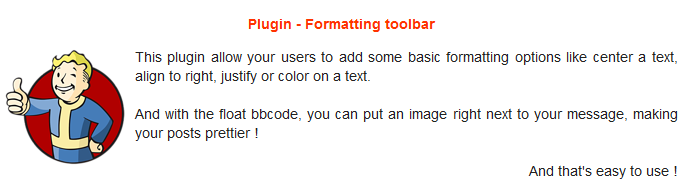
J’ai pris l’initiative de nettoyer un peu ce sujet afin de mettre en évidence les informations les plus pertinentes.
Voici un résumé des options actuelles pour autoriser l’alignement des images dans les publications, classées par facilité d’installation et d’utilisation :
- MD Composer extras (composant de thème)
- Formatting toolbar (plugin)
- Créez votre propre solution : Image Alignment - #19 by awesomerobot et si vous souhaitez ajouter un bouton à la barre d’outils, un exemple est disponible dans Image Alignment - #20 by tophee
2 « J'aime »
Des nouvelles ici ? Je suis un utilisateur, je dois simplement publier un contenu avec l’alignement d’image à droite.
1 « J'aime »
Voir What is the code for centering an uploaded image? - #14 by jomaxro. Au lieu de center, utilisez right.
2 « J'aime »
Cela peut aligner l’image à droite, mais ne la fait pas flotter, n’est-ce pas ? Autrement dit, pas de texte enroulé, ce qui est probablement ce qui est souhaité ?
C’est exact. Le sujet que j’ai lié visait à centrer une image, et c’est tout ce qu’il fait. Si vous souhaitez également utiliser float, vous devrez suivre la suggestion de Kris (ce qui nécessite qu’un administrateur prenne des mesures pour le configurer) ou installer un plugin comme la barre d’outils de mise en forme.
1 « J'aime »
Juste pour noter que le flottant est également pris en charge avec le composant MD Composer extras. Il ajoutera un bouton dans l’éditeur, ce qui pourrait rendre les choses un peu plus fluides.
4 « J'aime »