Any plan to add a feature for Image Alignment and Wrapping Text Around Images? More formmating options for photos (uploaded or linked) would be very useful. Cheers.
AI-generated summary
The discussion revolves around adding image alignment and wrapping text around images in Discourse posts. itlo and tobiaseigen express the need for this feature, which is a common request in their communities.
awesomerobot provides a workaround using data-theme-* attributes and custom CSS to achieve image alignment. tophee builds upon this idea and suggests creating a simple theme component.
Alternatively, Steven mentions a plugin he created that offers formatting options, including center, align right, and float elements. oreillyc finds this plugin helpful.
tshenry summarizes the current options for image alignment:
- A theme component: https://meta.discourse.org/t/md-composer-extras/118912
- A plugin: https://meta.discourse.org/t/formatting-toolbar/40649
- Building a custom solution: https://meta.discourse.org/t/image-alignment/15408/19
jomaxro and mattdm discuss using code to align images, but note that this method does not support floating or wrapping text. tshenry mentions that the md-composer-extras component also supports floating and adds a button to the composer for easier use.
This question comes up all the time in my community. We’d love to be able to include a small image or two in our posts without interrupting the flow of text.
Here’s a typical example..

2 Mi Piace
You don’t need a plugin to whitelist classes anymore, you can just use data-theme-* attributes directly in your post’s markup.
You’d do something like
<div data-theme-image="left">
  <img src="https://example.com/example.jpg" >
</div>
and then in your site customizations you’d have add corresponding CSS
[data-theme-image="left"] {
    float: left;
    img {
      margin: 1.3em 1em 0 0;
    }
}

Might be a good case for a simple theme component.
17 Mi Piace
I had to look this one up. In case anyone else is wondering how this works, here you go:
So let’s see if I understand how this would work. One way would be to add a toolbar button that would add a div with the data-theme-image attribute, just like here (where a different attribute is added):
Right?
Now, if I think that adding a toolbar button each for aligning images, say, left right centre (or even adding a toolbar button at all) and I instead want to manually add a [floatl] tag which would then be converted into html, then I would need a plugin, right?
1 Mi Piace
I’ve done a plugin with some formatting options, center, align right, float element, color. You can activate/deactivate any option
It’s using bbcodes tho, it may not be as clean as other options
6 Mi Piace
La barra degli strumenti di formattazione ha fatto al caso mio, facilissimo! Grazie @Steven
Float right bbcode
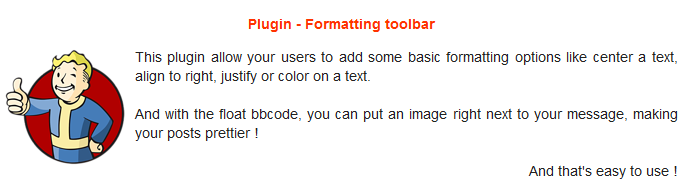
Abbiamo un bbcode floatl (e un pulsante) che ti permette di aggiungere del contenuto a sinistra del tuo testo (come l’immagine in questo esempio). Esiste anche un bbcode
[floatr][/floatr], che aggiunge del contenuto a destra. Il bbcode è stato creato, ma non ho aggiunto un pulsante, non mi è sembrato necessario.
Ho provveduto a ripulire un po’ questo argomento, in modo da evidenziare le informazioni più rilevanti.
Di seguito trovi un riepilogo delle opzioni attuali per consentire l’allineamento delle immagini nei post, ordinate in base alla facilità di installazione/utilizzo:
- MD Composer extras (componente del tema)
- Formatting toolbar (plugin)
- Crea la tua soluzione: Image Alignment - #19 by awesomerobot e, se desideri aggiungere un pulsante nella barra degli strumenti, trovi un esempio in Image Alignment - #20 by tophee
2 Mi Piace
Ci sono notizie qui? Sono un utente, ho solo bisogno di pubblicare un contenuto con allineamento immagine a destra.
1 Mi Piace
Vedi What is the code for centering an uploaded image? - #14 by jomaxro. Invece di center, usa right.
2 Mi Piace
Questo può allineare l’immagine a destra, ma non la farà galleggiare, giusto? Cioè, nessun testo avvolto, che è probabilmente ciò che si desidera?
È corretto. L’argomento a cui ho collegato voleva centrare un’immagine, e questo è tutto ciò che fa. Se desideri anche float, dovrai seguire il suggerimento di Kris (che richiede un’azione da parte di un amministratore per essere configurato) o installare un plugin come la barra degli strumenti di formattazione.
1 Mi Piace
Solo per notare che il galleggiamento è supportato anche con il componente MD Composer extras. Aggiungerà un pulsante all’editor che potrebbe rendere le cose un po’ più fluide.
4 Mi Piace