Installing Discourse for the First Time Using Vultr Hosting

Hey guys,

I want to start a forum and I have chosen vultr for cloud compute. But am still confused on some details I read on this forum and online too. I use windows 10 and I don’t know if it relates to installing dicourse on a cloud server.

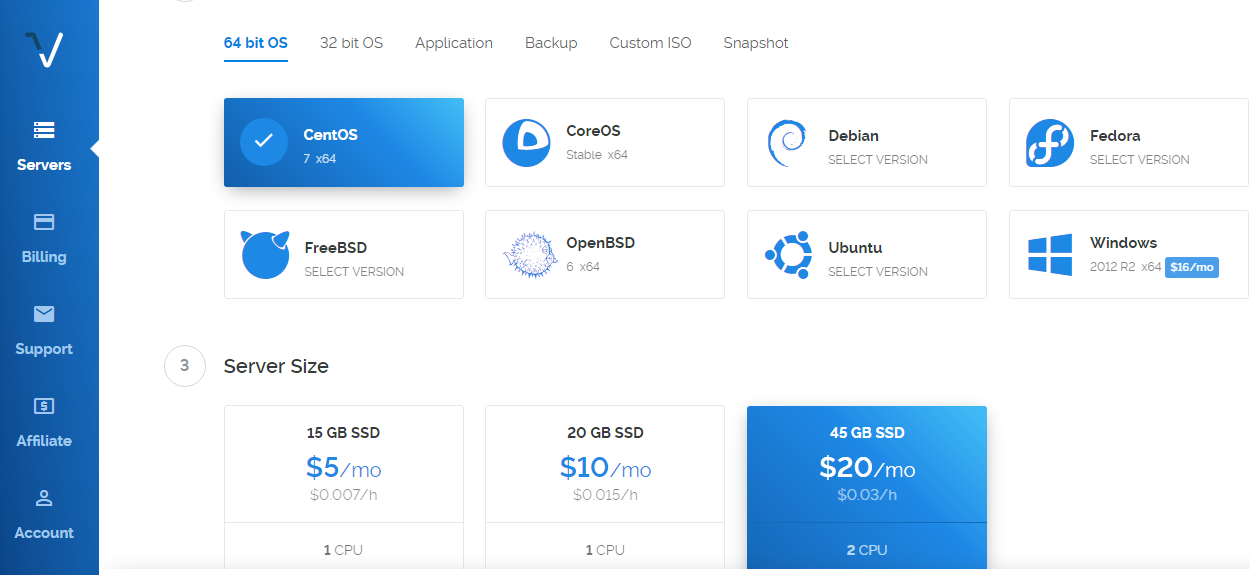
This is where I got stuck. Should I pick Windows or any other OS? Is it according the OS I use on my PC?

I just need someone to explain the whole process to me. Thanks

The OS you choose is the one that the cloud server will run. We recommend Ubuntu 16.04 as the OS for all installs.

Are you following these instructions?. They make it pretty clear that Ubuntu is what is recommended.

EDIT: Apologies if you are following those directions, but if you’re not, you’ll have another 100 questions that are supposed to be easy to find there.

Elo,

You want Ubuntu 16.04, the install instructions for discourse are in:
discourse/docs/INSTALL-cloud.md at main · discourse/discourse · GitHub

You also need to decide what email provider you want to use, and get that setup before you run ./discourse-setup , as that will ask you for information about your mail provider.

My advice is even if you get all the way through the install and everything works, play with it a bit i.e. create some categories, and some posts, and a couple of users, and get used to how updates, deletions, backups and such work, including the CLI commands and shutting down and restarting your server. Take notes about what commands you ran, and what they do.

Once you’ve familiarized yourself with the basic admin tasks, then start again from scratch before you start inviting people and go live with your forum.

Good luck.

https://www.vultr.com/docs/how-to-install-discourse-on-ubuntu-14-04

Hat jemand den aktuellsten Leitfaden? Für eine Version 18.04

Der einzige offizielle Leitfaden funktioniert: discourse/docs/INSTALL-cloud.md at main · discourse/discourse · GitHub

Ich bekomme diesen Fehler, ich weiß nicht warum.

Server ist online

Cloudflare deaktivieren. Sie brauchen es nicht, und es erschwert die Fehlersuche.

Ich werde es auf einer Subdomain verwenden. Wie kann ich es ohne Cloudflare nutzen? Meine Hauptdomain läuft auf WordPress.

@Eduardo_Braga Ich denke, du hast den DNS-Eintrag nicht hinzugefügt und * verwendet, um alles abzufangen. Du kannst einen A-Eintrag für forum mit der Vultr-IP-Adresse hinzufügen.
Update:
@Eduardo_Braga
Der DNS-Eintrag zeigt immer noch auf Cloudflare – https://www.whatsmydns.net/#A/forum.meuxbox.com.br

Ich bin mir nicht sicher, ob der A-Eintrag mit der Domain verknüpft ist. Könntest du den vollständigen Pfad „forum.meuxbox.com.br

Sie können Cloudflare auf einer Subdomain jederzeit deaktivieren, indem Sie die orange Wolke des entsprechenden Eintrags auf grau stellen.

Hat nicht funktioniert

@steven_so

Ich habe es sowohl mit DigitalOcean als auch mit Vultr versucht.

Entschuldigung für die verspätete Antwort, ich fühle mich nicht gut.

Ich sehe, dass deine DigitalOcean-IP mit deiner Subdomain verknüpft ist – https://www.whatsmydns.net/#A/forum.meuxbox.com.br – was gut ist.

Ist die Discourse-App installiert? Wenn ja, kannst du die App neu erstellen?