I’m currently using this: GitHub - davidmh/discourse-giphy: Giphy integration for discourse · GitHub
「いいね!」 1
The plugin has been updated to support SVG icons with Font Awesome 5
「いいね!」 2
I’ve added this plugin following the guidelines on the github page, but it doesn’t work! I’ve also added it under hooks, but the problem persists. How can I properly install it, or uninstall if it doesn’t work eventually? Thanks in advance!
To uninstall, you simply remove it from your app.yml.
Are you running on HTTPS? Did you add the template to support a reverse proxy?
「いいね!」 3
Fixed! Thank you very much!
「いいね!」 3
Thanks for this great plugin.
I just have a little issue, the icon to insert a Gif doesn’t appear in the window, do you have any idea where it could come from ?

Core’s icons changed to be based on fontawesome 5 sets, which is probably why the icon’s missing. The plugin would need to be updated here to support it.
「いいね!」 3
I don’t think that is it… it already supports FA 5.
「いいね!」 3
On latest, on my sandbox, the icon works fine…

I need to know the Discourse version and if there are any console related errors on your site.
「いいね!」 4
ええと、これまだ誰か使えていますか?
このプラグインは数年見ていなかったのですが、今日確認したら…世界は https になりました。リバースプロキシのソリューションを使った後も、返される JSON には http:// の URL が含まれたままなので、Mixed Content の問題で表示されていないのでしょうか?
「いいね!」 4
更新: 以下の手順で nginx 設定を変更し、上記の問題を解決しました。
(免責事項: Docker イメージに ngx_http_sub_module が含まれているかどうかは不明です)
  location /replygif/ {
        proxy_pass http://replygif.net/;
        proxy_set_header Accept-Encoding "";
        sub_filter http://replygif.net/ /replygif/;
        sub_filter_once off;
        sub_filter_types application/json;
  }
この設定を使用する場合、設定内の API URL は https://yourforumname/replygif/api/ にする必要があります。
@PaulinaMX この設定は、あなたのフォーラムですでに動作しています。
「いいね!」 7
@RGJ ありがとうございます♥ カテゴリは完璧に機能していますが、タグが機能していないようです。
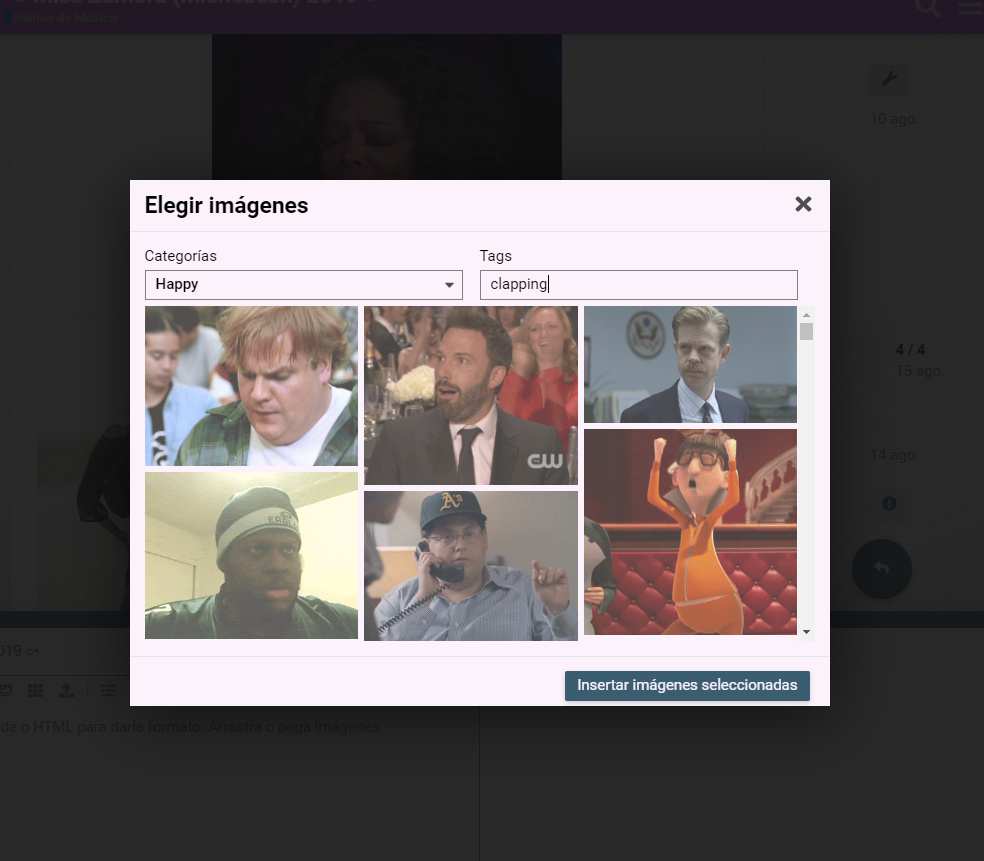
それはプラグイン自体の問題のようです。@cpradio さん、何かご存知ですか?
「いいね!」 1
@cpradio あなたが必要です 
これで blocked:mixed-content は解決しますか?現在のブラウザでは、HTTPS のウェブサイトから HTTP コンテンツがブロックされるためです。
プロキシの手順に従ってください。
README には HTTPS に関するセクションがあります。
TL;DR: プロキシ設定は存在しますが、問題の解決にはなりません。プロキシを経由しないリンクが依然として取得されるためです。
詳細:
サーバーを検査したところ、ご指示通り設定されていることを確認しました。コンテナ自体に入り、discourse.conf を確認したところ、proxy pass が適切に設定されていることが分かりました。
Chromium の開発者ツール(Network)を使用すると、https://mycompany.com/replygif/gifs?api-key=39YAprx5Yi&reply=Angry のようなクエリがプロキシを通過しているのが確認できます。これにより JSON が返され、http://replygif.net/i/1032.gif のような URL が含まれています。
その後、クライアントブラウザからのネットワーク接続で、http://replygif.net/thumbnail/176.gif のようなサムネイルがリクエストされます。これは明らかに失敗します。なぜなら、CSP が混合コンテンツ(http + https)をブロックするからです。
Ember.js アプリケーションの仕組みは分かりませんが、ネットワークトラフィックから推測すると、画像 URL が含まれる JSON を取得するクエリがあり、それが後にサムネイルの取得に使用されているようです。しかし、これらの画像リンク自体は機能せず、proxy pass ではこの問題を解決できません。
これを解決するには、Ember アプリ自体を構成して、これらの URL 参照をプロキシ経由の同じ参照 URL に書き換える必要があります。例えば、https://mycompany.com/replygif/thumbnail/176.gif のようにです。
ご意見やご提案はありますか?
「いいね!」 1
それについてはどうしようもないようです。replygif はまだ HTTPS をサポートしていないようですから。
「いいね!」 2
私はこれらについては初心者ですが、このプラグインのリバースプロキシを設定するためのステップバイステップのガイドはありますか?
参考までに、サイトはデジタルオーシャンでホストされており、SSL 対応です。
はい、READMEに手順が詳しく説明されています。テンプレートを適切な場所に配置するためのwgetコマンドも記載されており、あとはapp.ymlをテンプレートに合わせて更新するだけです。
「いいね!」 2