The discussion revolves around the issue of scrolling preformatted text being unusable in some browsers, particularly on MacOS Chrome and Firefox. When hovering over single-line preformatted text that runs off the screen, the horizontal scrollbar can obscure the text and fail to disappear. vvanpo reports that this issue is browser and operating system specific, and provides examples of the issue in different browsers.
vvanpo and Mark_Walkom express the need for a solution, as the current behavior makes it difficult to read or select the text. codinghorror suggests using single backticks to wrap the text, but vvanpo argues that this is not a suitable solution, as it introduces arbitrary wrapping and is not what the <pre> tag is intended for.
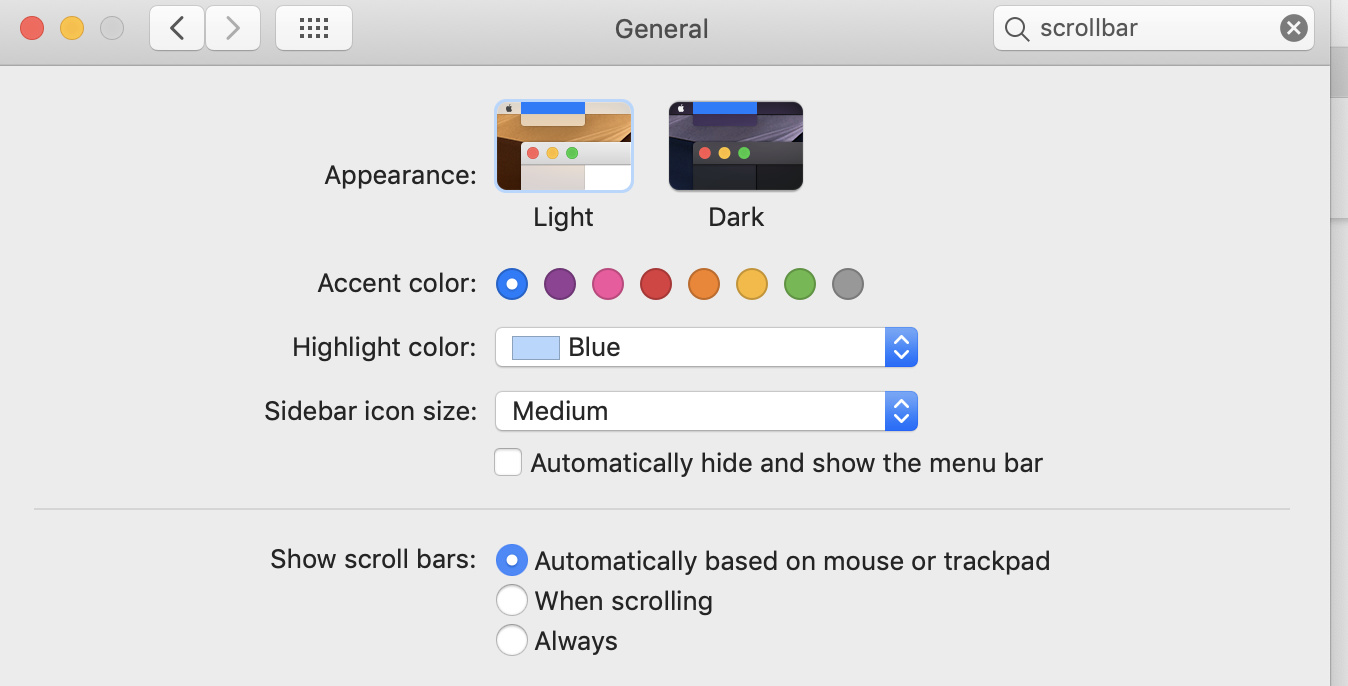
sam attributes the issue to how Mac implements the scrollbar and suggests shipping custom scrollbar CSS to make code blocks more consistent. pmusaraj provides context on Mac’s scrollbar options and suggests that setting the scrollbar to “Always” can display the scrollbar below the one-liner.
The discussion concludes with sam suggesting that adding padding in a theme component or teaching users about alternative options could be a solution, but notes that making a change to the Markdown plugin to auto-convert code would be a drastic divergence from spec.
On some browsers/platforms, single-line preformatted text that runs off the screen is difficult to use.
On MacOS Chrome, in particular, the instant you hover over the text the horizontal scrollbar obscures the text, and then never goes away again, no matter how long you leave your cursor somewhere else on the screen. It makes it difficult to read or select the text:
On Windows Chrome, however, this is not an issue. The scrollbar is always there, even on initial page load, but does not obscure the text:
On MacOS Firefox, the scrollbar does not appear when you hover over the text. The only way to see text that runs off the screen is to select the text and pull your cursor to the right of the screen. Then the scrollbar briefly appears (and obscures the text just as in MacOS Chrome), but goes away very quickly and is generally unusable.
Safari has the same behaviour as Firefox.
I know there are some hacky ways to detect scrollbar width in javascript, but I’m not sure if this is actually a Discourse bug or a browser bug?
I don’t want arbitrary wrapping when I post code, I want it to scroll. It’s precisely what the <pre> tag is for, I only use the single backticks for inline code.
I don’t agree that opting out of using an inadequate alternative to avoid a bug is a self-inflicted wound.
This has 0% to do with Discourse, and 100% to do with rendering choices of particular browsers on particular operating systems. You can “fix” it by adding CSS that targets those particular browsers and operating systems, if you want.
For me the scrollbar disappears soon after the pointer is moved away from the code area. To read the overflowing code, you can scroll horizontally, and then move the move the mouse out of the way. In a second or so, the scrollbar disappears.
For context, macOS has three options for scrollbars:
I tested the link in the OP with the other two options, and “When scrolling” behaves the same way (i.e. scrollbar fades out once mouse is away from the code block) whereas “Always” will display the scrollbar below the one-liner in your linked example:
You can easily add some padding in a theme component, @awesomerobot or @Johani can suggest something.
Technically we could do a conversion like this in a Markdown plugin, but we would then diverge from spec quite drastically, so I am very uncomfortable making a change like that.
Adding padding though for your site is trivial if you must, or teaching users there is another option.