Any plan to add a feature for Image Alignment and Wrapping Text Around Images? More formmating options for photos (uploaded or linked) would be very useful. Cheers.
AI-generated summary
The discussion revolves around adding image alignment and wrapping text around images in Discourse posts. itlo and tobiaseigen express the need for this feature, which is a common request in their communities.
awesomerobot provides a workaround using data-theme-* attributes and custom CSS to achieve image alignment. tophee builds upon this idea and suggests creating a simple theme component.
Alternatively, Steven mentions a plugin he created that offers formatting options, including center, align right, and float elements. oreillyc finds this plugin helpful.
tshenry summarizes the current options for image alignment:
- A theme component: https://meta.discourse.org/t/md-composer-extras/118912
- A plugin: https://meta.discourse.org/t/formatting-toolbar/40649
- Building a custom solution: https://meta.discourse.org/t/image-alignment/15408/19
jomaxro and mattdm discuss using code to align images, but note that this method does not support floating or wrapping text. tshenry mentions that the md-composer-extras component also supports floating and adds a button to the composer for easier use.
This question comes up all the time in my community. We’d love to be able to include a small image or two in our posts without interrupting the flow of text.
Here’s a typical example..

2 curtidas
You don’t need a plugin to whitelist classes anymore, you can just use data-theme-* attributes directly in your post’s markup.
You’d do something like
<div data-theme-image="left">
  <img src="https://example.com/example.jpg" >
</div>
and then in your site customizations you’d have add corresponding CSS
[data-theme-image="left"] {
    float: left;
    img {
      margin: 1.3em 1em 0 0;
    }
}

Might be a good case for a simple theme component.
17 curtidas
I had to look this one up. In case anyone else is wondering how this works, here you go:
So let’s see if I understand how this would work. One way would be to add a toolbar button that would add a div with the data-theme-image attribute, just like here (where a different attribute is added):
Right?
Now, if I think that adding a toolbar button each for aligning images, say, left right centre (or even adding a toolbar button at all) and I instead want to manually add a [floatl] tag which would then be converted into html, then I would need a plugin, right?
1 curtida
I’ve done a plugin with some formatting options, center, align right, float element, color. You can activate/deactivate any option
It’s using bbcodes tho, it may not be as clean as other options
6 curtidas
A barra de ferramentas de formatação fez o trabalho de um jeitinho fácil para mim! Obrigado, @Steven
Flutuar à direita bbcode
Temos um bbcode
floatl(e um botão) que permite adicionar conteúdo à esquerda do seu texto (como a imagem neste exemplo). Também existe o bbcode[floatr][/floatr], que adiciona conteúdo à direita. O bbcode foi criado, mas não adicionei um botão, pois não parece necessário.
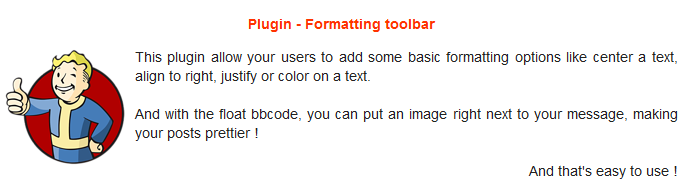
Fiquei à vontade e limpei um pouco este tópico para destacar as informações mais relevantes.
Abaixo está um resumo das opções atuais para permitir o alinhamento de imagens em posts, ordenadas por facilidade de instalação/usabilidade:
- MD Composer extras (componente de tema)
- Formatting toolbar (plugin)
- Crie sua própria solução: Image Alignment - #19 by awesomerobot e, se quiser adicionar um botão na barra de ferramentas, há um exemplo em Image Alignment - #20 by tophee
2 curtidas
Alguma notícia aqui? Sou um usuário, só preciso postar um conteúdo com imagem-alinhada-à-direita.
1 curtida
Veja What is the code for centering an uploaded image? - #14 by jomaxro. Em vez de center, use right.
2 curtidas
Isso pode alinhar a imagem à direita, mas não a flutua, certo? Ou seja, sem texto envolto, o que provavelmente é o desejado?
Isso está correto. O tópico que eu vinculei queria centralizar uma imagem, e é só isso que ele faz. Se você também quiser float, precisará seguir a sugestão do Kris (que requer que uma ação seja tomada por um administrador para configurá-la) ou instalar um plugin como a barra de ferramentas de formatação.
1 curtida
Apenas observando que o flutuante também é suportado com o componente MD Composer extras. Ele adicionará um botão ao compositor que pode tornar as coisas um pouco mais fluidas.
4 curtidas