 |
Summary | A welcome modal to help new or returning community members with actionable ways to begin exploring/engaging in a forum |
 |
Preview | Theme Creator (Requires being logged in) |
 |
Repository | GitHub - noahLovell/discourse-welcome-modal · GitHub |
 |
Install Guide | How to install a theme or theme component |
 |
New to Discourse Themes? | Beginner’s guide to using Discourse Themes? |
Install this theme component
 Why use this?
Many communities see high signup rates but struggle with “first-day churn.” This component reduces cognitive load by providing clear, actionable paths.
It supports segmentation, allowing you to serve different content to brand-new signups versus members returning after a hiatus.
 Screenshots
Desktop
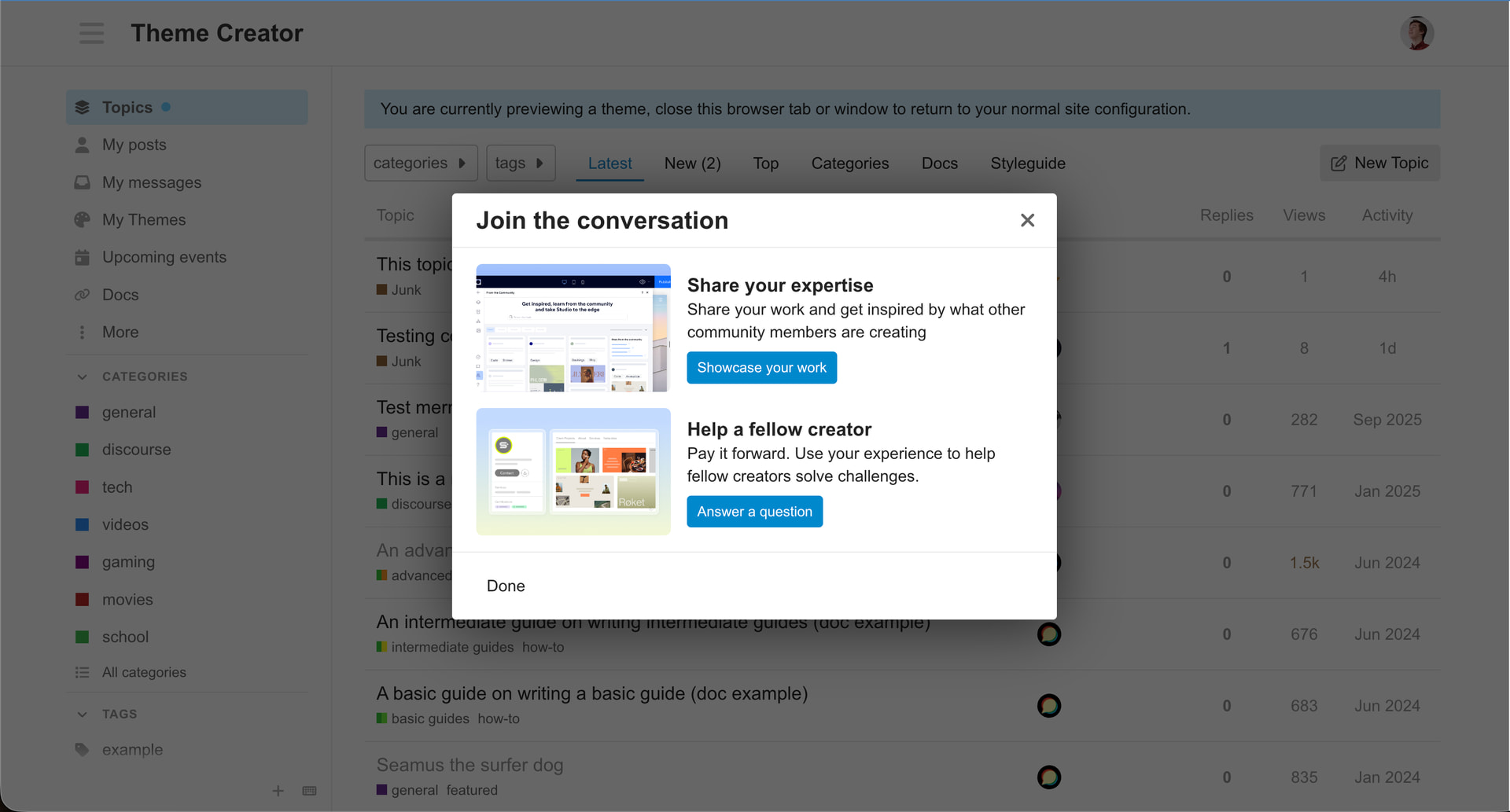
How it works
1. The Definitions
- New Users: Users who registered on or after your
feature_enabled_date. - Existing Users: Users who registered before your
feature_enabled_date. - Engaged Users: Members who visit regularly. As long as they don’t stay away longer than the
returning_user_inactivity_months, they stay Engaged. - Returning Users: Members who were previously Engaged but stayed away long enough to exceed the
returning_user_inactivity_monthsthreshold.
2. The Logic Flow
The component follows this priority list to ensure it doesn’t annoy your most active members:
- New Registration? They see the modal immediately (targeted with
card_contentmarked asnew_usersorboth). - Grace Period (For Existing Users): If an “Existing User” visits during the
grace_period_monthswindow, the component silently marks them as seen. They won’t see the modal, as the logic assumes they are currently active and don’t need a welcome. - The Inactivity Gap: Once a user is marked as having “seen” the modal (either silently or manually), the component tracks their visits locally. If they visit daily, they remain Engaged and never see it again. They will only be re-introduced to the modal (as a Returning User) if the gap between their visits exceeds your
returning_user_inactivity_monthssetting.
3. Tailored Content
You can target specific cards to specific groups using the displayFor setting:
new_users: Perfect for “How to post” or “Introduce yourself.”returning_users: Perfect for “Check out what’s changed while you were gone.”both: Essential links like Guidelines or FAQ.
 Settings
| Setting | Type | Default | Description |
|---|---|---|---|
enabled |
bool |
false |
Global toggle for the component. |
feature_enabled_date |
string |
"2026-02-06" |
The “Line in the Sand” for New vs Existing users (YYYY-MM-DD). |
grace_period_months |
integer |
3 |
Existing users visiting within this window are silently opted-out. |
returning_user_inactivity_months |
integer |
6 |
The “Inactivity Threshold.” Users see the modal again only if they stay away longer than this. |
card_layout |
enum |
"grid" |
Display cards in a grid or list format. |
card_content |
objects |
[] |
Define cards and set displayFor to new_users, returning_users, or both. |
Testing your setup
Use these URL parameters to bypass the logic and preview your work:
?show-welcome-modal=true&user-type=new- Previews the “New User” experience.?show-welcome-modal=true&user-type=returning- Previews the “Returning User” experience.
This is my first proper theme component  I’d love feedback on the new segmentation features or thoughts on what else could be improved!


