ad-si
9 Ottobre 2019, 3:17pm
1
Invece di visualizzare il nome originale del file, l’overlay della lightbox dovrebbe mostrare l’attributo alt e/o l’attributo title dell’immagine.
Il nome dell’immagine è spesso del tutto inutile. (Ad esempio, qualcosa come shutterstock_1073920454325.jpg.) Inoltre, il nome del file non può nemmeno essere modificato successivamente, poiché non viene accettato un nuovo nome, dato che esiste già un’immagine nel database con lo stesso SHA1.
5 Mi Piace
Johani
5 Novembre 2019, 10:54am
2
C’è una storia un po’ lunga dietro. Se sei interessato a saperne di più, puoi leggere la descrizione delle PR.
master ← hnb-ku:use-image-alt-in-overlay
merged 11:15PM - 03 Nov 19 UTC
some history / context:
https://meta.discourse.org/t/display-an-images-alt-o… r-title-attribute-in-ligthbox-overlay/130579
https://meta.discourse.org/t/image-title-and-alt-tags-not-displaying/38918/5
This PR is also a prerequisite to some work being done here
https://meta.discourse.org/t/make-it-more-obvious-an-image-is-resizable-when-uploading-an-image/132030
<hr>
Right now, when you add an image and it's big enough to be lightboxed you get an overlay that looks like so
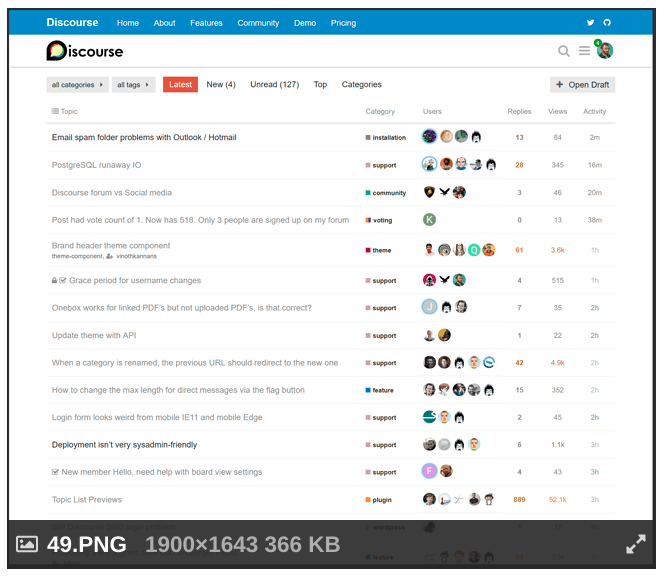
This overlay contains some useful information but notice that it also contains the filename. Why does this happen? it happens because we check if the image has a title and use that, but otherwise we fallback to the filename.
https://github.com/hnb-ku/discourse/blob/master/lib/cooked_post_processor.rb#L427-L429
The issue here is that most image will not have a title because markdown does not add one unless you use a very particular syntax.
the default syntax we use when a user uploads / copy-pastes an image looks like this
```

```
and will result in this markup after it's processed by markdown
```
<img src="/uploads/default/original/1X/fbfa85f19aae34a5f2d7fd9586d843daac895655.png" alt="pluginPage01" width="368" height="413">
```
So, there's no title and we therefore fallback to the filename in the overlay.
Markdown supports adding a title but the syntax is different and looks like so
```

```
that would then generate
```
<img src="/uploads/default/original/1X/fbfa85f19aae34a5f2d7fd9586d843daac895655.png" alt="pluginPage01" title="image title" width="368" height="413">
```
which would then be used in the overlay because the image has a title.
What this PR does is add the image alt as a fallback before falling back to the file name.
That means that we go
title > alt > filename
This allows us to leverage on the alt that markdown generates and allows users to control the text or image description used in the overlay.
For example, let's say you have an image with the name `photo01.jpg` and you upload that image. you get this in the editor
```

```
Prior to this PR, even if you edit `photo01` to `cute cats playing with water` the overlay for the lightbox in the cooked post will still display as `photo01`
This PR makes it possible to change the overlay text in the editor by changing `photo01` to the desired text to be displayed in the lightbox overlay.
If an image has both a title and an alt, then the title is used and the alt is ignored, which ensures backwards compatibility for cases when a markdown title was added.
This will only affect new posts and old posts would need to be rebaked.
e
master ← hnb-ku:fix-resizing-regex
merged 10:40AM - 05 Nov 19 UTC
This is related to some work being done to improve image resizing controls in th… e composer here
https://meta.discourse.org/t/make-it-more-obvious-an-image-is-resizable-when-uploading-an-image/132030
and also relates to the work that was done here https://github.com/discourse/discourse/pull/8286
<hr>
We currently use this regex
```
/(!\[(?:\S*?(?=\|)\|)*?(?:\d{1,6}x\d{1,6})+?)(?:,?(\d{1,3})?%?)?(\]\(upload:\/\/\S*?\))/g
```
to match composer images that can be resized. This works well, but fails if there's some whitespace in the image alt or if the image has a title, Some examples
```diff
Default:
+ 
image with a scale %:
+ 
image with a scale % and a whitespace:
- 
Image with space in alt
- 
Image with a title
- 
Image with alt title and a scale %
- 
```
Matches are highlighted above in green, a red highlight means the string should match but it currently doesn't.
This PR changes the regex to this
```
/!\[(.*?)\|(\d{1,4}x\d{1,4})(,\s*\d{1,3}%)?\]\((upload:\/\/.*?)\)/g
```
If we use the same examples above with this regex, they all match
```diff
Default:
+ 
image with a scale %:
+ 
image with a scale % and a whitespace:
+ 
Image with space in alt
+ 
Image with a title
+ 
Image with alt title and a scale %
+ 
```
Se sei sull’ultima versione, ora dovresti poter modificare il testo che appare nel sovrapposto dell’editor.
Quando carichi un’immagine, otterrai questo:

Puoi modificare nomeFile con ciò che desideri far apparire nel sovrapposto dell’immagine.
Una breve nota:
Questa funzionalità era sempre stata possibile, ma richiedeva di sapere come Markdown gestisce i titoli.
Il modo per aggiungere un titolo in Markdown è il seguente:

Dato che non molte persone conoscono questa funzione, la prima PR sopra menzionata aggiunge il testo alternativo come fallback, prima di utilizzare il nome del file. Essendo un fallback, significa che se è presente un titolo, questo viene rispettato; altrimenti, viene utilizzato il testo alternativo.
6 Mi Piace
Johani
6 Novembre 2019, 10:00am
3
Questo argomento è stato chiuso automaticamente dopo 22 ore. Non sono più consentite nuove risposte.
