Any plan to add a feature for Image Alignment and Wrapping Text Around Images? More formmating options for photos (uploaded or linked) would be very useful. Cheers.
This question comes up all the time in my community. We’d love to be able to include a small image or two in our posts without interrupting the flow of text.
Here’s a typical example..

2 Me gusta
You don’t need a plugin to whitelist classes anymore, you can just use data-theme-* attributes directly in your post’s markup.
You’d do something like
<div data-theme-image="left">
  <img src="https://example.com/example.jpg" >
</div>
and then in your site customizations you’d have add corresponding CSS
[data-theme-image="left"] {
    float: left;
    img {
      margin: 1.3em 1em 0 0;
    }
}

Might be a good case for a simple theme component.
17 Me gusta
I had to look this one up. In case anyone else is wondering how this works, here you go:
So let’s see if I understand how this would work. One way would be to add a toolbar button that would add a div with the data-theme-image attribute, just like here (where a different attribute is added):
Right?
Now, if I think that adding a toolbar button each for aligning images, say, left right centre (or even adding a toolbar button at all) and I instead want to manually add a [floatl] tag which would then be converted into html, then I would need a plugin, right?
1 me gusta
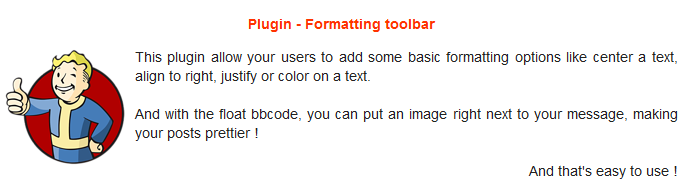
I’ve done a plugin with some formatting options, center, align right, float element, color. You can activate/deactivate any option
It’s using bbcodes tho, it may not be as clean as other options
6 Me gusta
¡La barra de herramientas de formato hizo el trabajo de forma sencilla para mí! Gracias @Steven
Flotar a la derecha bbcode
Tenemos un bbcode floatl (y un botón) que te permite agregar contenido a la izquierda de tu texto (como la imagen en este ejemplo). También existe un bbcode
[floatr][/floatr]que agrega contenido a la derecha. El bbcode ya ha sido creado, pero no añadí un botón, ya que no me pareció necesario.
He procedido a limpiar un poco este tema para resaltar la información más relevante.
A continuación, se presenta un resumen de las opciones actuales para permitir la alineación de imágenes en las publicaciones, ordenadas por facilidad de instalación y uso:
- MD Composer extras (componente de tema)
- Formatting toolbar (plugin)
- Crea tu propia solución: Image Alignment - #19 by awesomerobot y, si deseas agregar un botón en la barra de herramientas, hay un ejemplo en Image Alignment - #20 by tophee
2 Me gusta
¿Alguna noticia aquí? Soy un usuario, solo necesito publicar un contenido con alineación de imagen a la derecha.
1 me gusta
Consulta What is the code for centering an uploaded image? - #14 by jomaxro. En lugar de center, usa right.
2 Me gusta
Eso puede alinear la imagen a la derecha, pero no la flotará, ¿verdad? Es decir, no habrá texto envuelto, lo cual es probablemente lo que se desea.
Eso es correcto. El tema al que enlacé quería centrar una imagen, y eso es todo lo que hace. Si también quieres float, deberás seguir la sugerencia de Kris (lo cual requiere que un administrador tome esa acción para configurarlo) o instalar un plugin como la barra de herramientas de formato.
1 me gusta
Solo quiero señalar que el componente MD Composer extras también admite la función de flotación. Esto agregará un botón al editor que podría hacer que el proceso sea un poco más fluido.
4 Me gusta