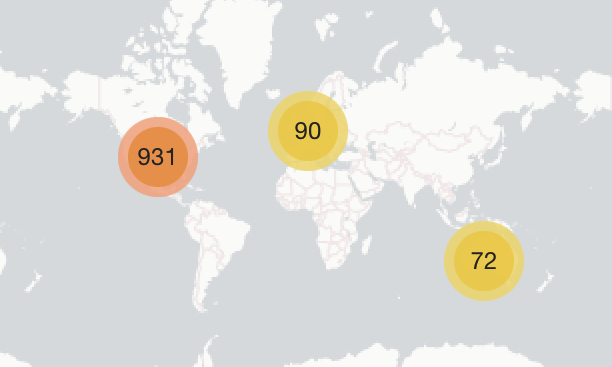
Est-il possible d’utiliser la localisation de l’utilisateur pour les ajouter automatiquement à des groupes ? Par exemple, si un utilisateur est situé en Allemagne, il est automatiquement ajouté au groupe Allemagne.
Actuellement non automatisé. Cependant, vous pourriez concevoir un algorithme ingénieux dans la console Rails pour y parvenir de manière ponctuelle. Pour commencer, consultez Locations Plugin 🌍 - #684 by merefield. Vous devrez prendre en compte le fait que la saisie des localisations est également facultative.
Vous pourriez également envisager d’utiliser le plugin assistant personnalisé avec le plugin des drapeaux nationaux pour recueillir les pays des utilisateurs. (Cela aiderait pour la partie facultative.)
C’est encore moi Il y a un autre problème avec la recherche d’utilisateurs sur la page /u. Lorsque vous tapez un nom d’utilisateur dans ce champ, rien ne se passe.
Étant donné qu’il s’agit d’un problème non critique, je l’examinerai probablement plus tard ce mois-ci.
Veuillez prendre note de la période prise en charge pour les mises à niveau. Je remercie le fait que cela ait été signalé dans le cadre de cette période. Nous faisons de notre mieux pour traiter les changements critiques qui surviennent pendant ce temps.
Suite à la question soulevée par @James_Higginsonici et en acceptant ce cas d’utilisation tel qu’indiqué par @Robert dans ce message, quelqu’un a-t-il des suggestions pour éviter ce scénario qui semble seulement inciter les membres de la communauté à se demander s’il y a un défaut dans le logiciel sous-jacent ?
Comme on peut le voir dans le graphique ci-dessus, cet utilisateur a saisi un lieu, mais il n’est pas affiché dans le champ utilisateur. La seule indice (qui peut ne pas être évident pour un observateur occasionnel ou inexpérimenté) est la présence de l’icône d’information et des mots « Votre lieu sera affiché publiquement » sous un champ vide, suggérant une erreur ou une saisie incomplète, et que l’icône d’information et le texte ne sont pas réellement associés à la bonne complétion du champ.
Ces images proviennent des pages de paramètres d’administration à titre de référence :
Salut Graham (au fait, je ne suis pas @ Robert), j’ai examiné cela pour toi et je pense que le problème vient du paramètre de délai d’expiration. Expérimente en l’augmentant.
Hier, j’ai essayé de mettre à jour notre site vers Ember CLI et j’ai remarqué une erreur avec le plugin Locations. Si je crée un sujet, une erreur s’affiche dans la console et le sujet ne se charge pas, seule la section titre apparaît. C’était juste un test pour vérifier que tout fonctionnerait, donc après l’avoir vérifié, je suis revenu d’Ember CLI maintenant. Merci
Désolé, j’ai été occupé avec TLP et d’autres projets ces derniers jours. J’essaierai de corriger cela aujourd’hui, bien que ce ne soit peut-être pas le seul problème ! Je n’ai pas encore vérifié cela sur Ember-CLI.

 Il y a un autre problème avec la recherche d’utilisateurs sur la page /u. Lorsque vous tapez un nom d’utilisateur dans ce champ, rien ne se passe.