I’m currently using this: GitHub - davidmh/discourse-giphy: Giphy integration for discourse · GitHub
1 me gusta
The plugin has been updated to support SVG icons with Font Awesome 5
2 Me gusta
I’ve added this plugin following the guidelines on the github page, but it doesn’t work! I’ve also added it under hooks, but the problem persists. How can I properly install it, or uninstall if it doesn’t work eventually? Thanks in advance!
To uninstall, you simply remove it from your app.yml.
Are you running on HTTPS? Did you add the template to support a reverse proxy?
3 Me gusta
Fixed! Thank you very much!
3 Me gusta
Thanks for this great plugin.
I just have a little issue, the icon to insert a Gif doesn’t appear in the window, do you have any idea where it could come from ?

Core’s icons changed to be based on fontawesome 5 sets, which is probably why the icon’s missing. The plugin would need to be updated here to support it.
3 Me gusta
I don’t think that is it… it already supports FA 5.
3 Me gusta
On latest, on my sandbox, the icon works fine…

I need to know the Discourse version and if there are any console related errors on your site.
4 Me gusta
Así que… ¿sigue funcionando para alguien?
No había revisado este plugin en unos años, pero hoy lo hice… y el mundo ahora es https; después de usar la solución de proxy inverso, el JSON devuelto aún tiene URL con http://, por lo que no se muestran debido al contenido mixto.
4 Me gusta
Actualización: hemos solucionado el problema anterior realizando lo siguiente en nuestra configuración de nginx.
(Nota: No sé si la imagen de Docker incluye el ngx_http_sub_module)
  location /replygif/ {
        proxy_pass http://replygif.net/;
        proxy_set_header Accept-Encoding "";
        sub_filter http://replygif.net/ /replygif/;
        sub_filter_once off;
        sub_filter_types application/json;
  }
La URL de la API en tu configuración debe ser https://tu nombre de foro/replygif/api/ si usas esto.
@PaulinaMX esto ya está funcionando en tu foro ahora
7 Me gusta
@RGJ Muchas gracias  Las categorías funcionan perfectamente, solo parece que las etiquetas no están funcionando.
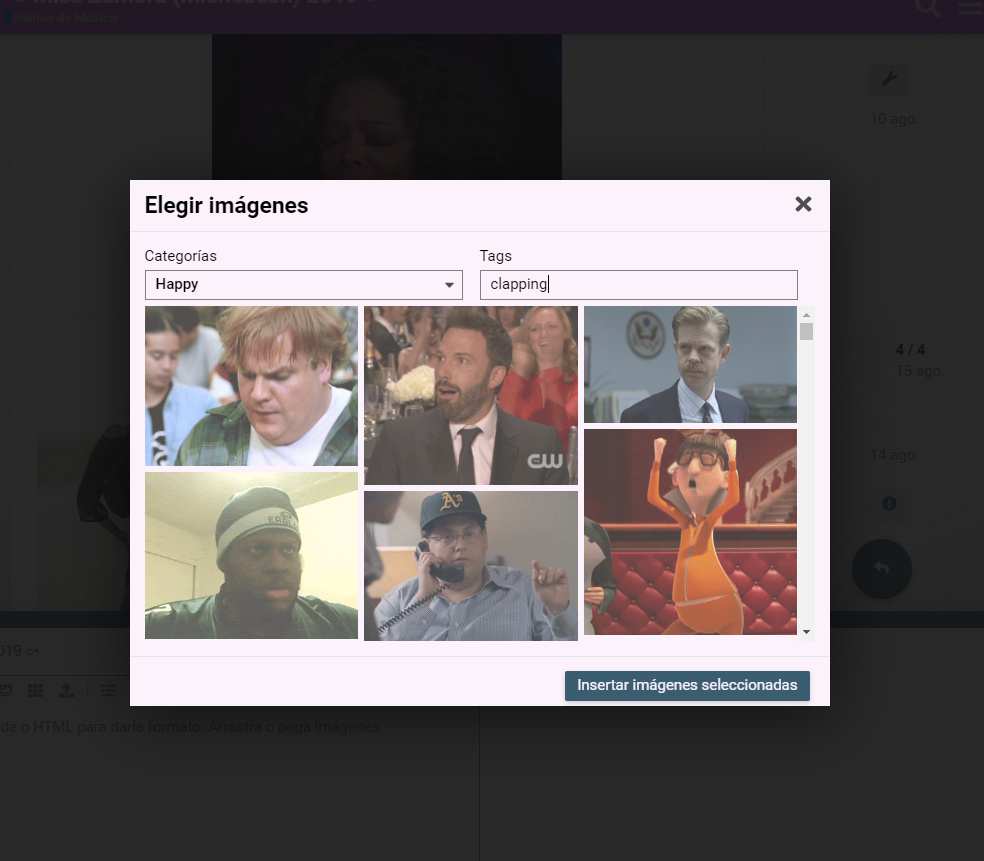
Eso parece ser un problema en el propio plugin. @cpradio, ¿tienes alguna idea?
1 me gusta
@cpradio Te necesitamos
¿Esto solucionaría el blocked:mixed-content, ya que los navegadores actuales bloquean el contenido HTTP de sitios web que son HTTPS?
Debes seguir las instrucciones del proxy.
Hay una sección en el README sobre HTTPS.
TL;DR: Configuración de proxy allí, pero no resuelve el problema, ya que los enlaces sin proxy siguen siendo recuperados.
Detalles:
Inspeccioné el servidor y está configurado según sus instrucciones. Entré en el contenedor para examinar el discourse.conf y encontré que el proxy pass estaba configurado correctamente.
Usando las herramientas de desarrollador de Chromium (Red), veo consultas que pasan por el proxy, por ejemplo: https://mycompany.com/replygif/gifs?api-key=39YAprx5Yi&reply=Angry. Devuelve un JSON con URLs como http://replygif.net/i/1032.gif.
Posteriormente, la conexión de red desde mi navegador cliente solicitará miniaturas, como http://replygif.net/thumbnail/176.gif. Esto obviamente fallará, ya que la CSP bloqueará el contenido mixto (http + https).
No sé cómo funciona la aplicación ember.js, pero deduciendo del tráfico de red, parece que hay consultas para obtener un JSON con URLs de imágenes que luego se recuperan para las miniaturas, pero esos enlaces de imagen en sí mismos no funcionarán, y el proxy pass no solucionará esto.
Para resolver esto, parece que la propia aplicación ember tendría que configurarse para reescribir estas referencias de URL para que coincidan con la misma URL referenciada a través del proxy, por ejemplo: https://mycompany.com/replygif/thumbnail/176.gif.
¿Opiniones? ¿Sugerencias?
1 me gusta
No parece que pueda hacer mucho al respecto. Parece que replygif todavía no soporta HTTPS.
2 Me gusta
Soy nuevo en esto, ¿hay una guía paso a paso para configurar un proxy inverso para este complemento?
Sitio seguro, alojado con DigitalOcean, si eso ayuda.
Sí, el README te guía paso a paso. Incluso incluye el comando wget para colocar la plantilla en la ubicación correcta; luego solo se trata de actualizar tu app.yml para usar la plantilla.
2 Me gusta