Moin
28 Ottobre 2024, 9:05am
1
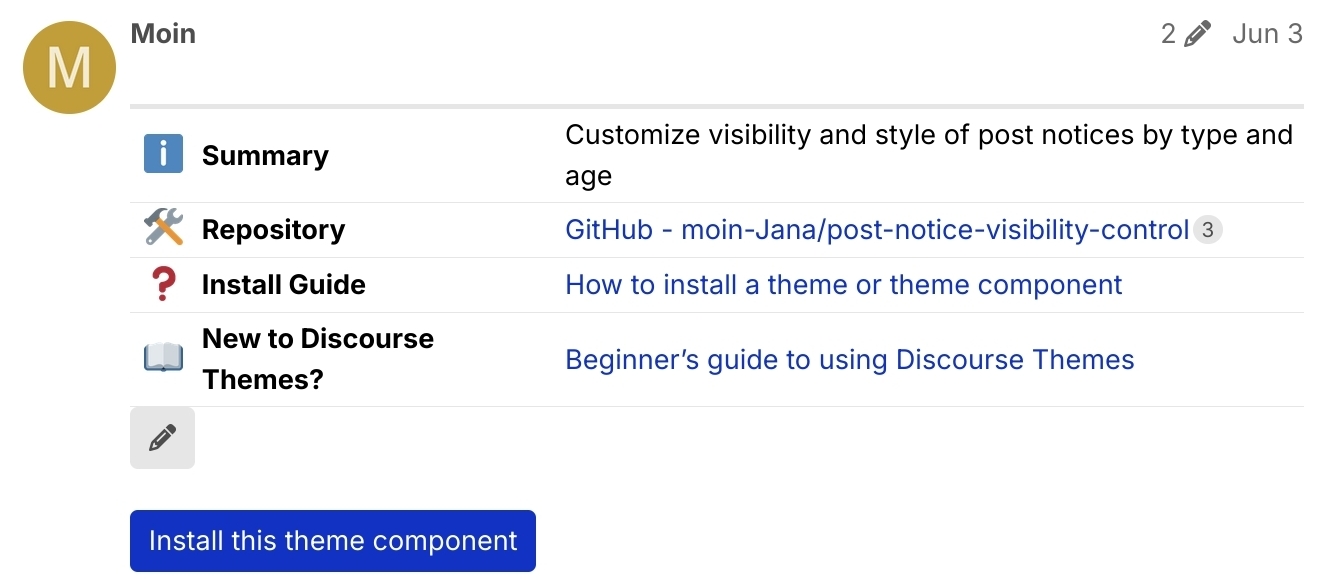
Questo è almeno la terza volta che mi chiedo perché ci sia un tale spazio enorme sotto la tabella.
Il mio problema è che il pulsante di modifica è visibile solo dopo aver toccato la tabella.
Di solito non lo faccio mentre guardo il post, quindi mi chiedo cosa ho aggiunto che ha creato quello spazio. Poi provo a modificare il post, noto che non c’è niente di speciale sotto la tabella e sono confuso. La prima volta un moderatore della community molto apprezzato mi ha detto che il mio tablet è probabilmente bloccato tra gli stili mobile e desktop. La volta successiva me lo sono ricordato di nuovo dopo aver provato a modificare il post. Il pulsante potrebbe essere mostrato sotto la tabella senza toccarla prima, come su mobile?
5 Mi Piace
Moin
5 Agosto 2025, 5:08pm
2
Lo spazio è ancora lo stesso. Tuttavia, è un po’ più difficile trovare il pulsante nascosto ora, perché non ha più testo, il che lo rende più piccolo.
2 Mi Piace
Moin
5 Novembre 2025, 8:49pm
3
Sto solo condividendo un altro screenshot. La tabella che ho citato ha 2 penne sotto, quindi lo spazio confuso è ancora più grande
1 Mi Piace
Moin
18 Marzo 2026, 9:47am
4
Ho notato di nuovo questo
chapoi
18 Marzo 2026, 10:21am
6
Questa modifica la renderà visibile in modo permanente anche sui tablet
main ← ux-table-edit-element-visibility
opened 10:20AM - 18 Mar 26 UTC
The table edit element's visibility was restricted to size `sm`, making it only … appear on focus for tablets.
Problem:
- not very discoverable
- since it's using opacity, this preserves a large "gap" below the table [which causes confusion ](https://meta.discourse.org/t/huge-gap-below-tables-on-tablets/333153/4)
This commit moves the MQ to `xl`, which covers upto 13" tablets.
Larger screens remains unchanged, and only show on hover still.
<img width="2064" height="2752" alt="CleanShot 2026-03-18 at 11 20 01" src="https://github.com/user-attachments/assets/eae3cff7-8fa2-40ca-87a9-f5dbb05f4d0e" />
Quello della doppia penna è strano, hai per caso idea di cosa lo stia causando?
1 Mi Piace
Moin
18 Marzo 2026, 10:30am
7
Grazie
Non ho cercato di scoprirlo. Dato che l’ho notato solo sulle citazioni, potrebbe essere collegato alle tabelle citate.
chapoi
18 Marzo 2026, 10:48am
8
Indovinato. Darò un’occhiata.
chapoi
18 Marzo 2026, 2:25pm
9
2 Mi Piace
chapoi
21 Marzo 2026, 2:26pm
10
Questo argomento è stato chiuso automaticamente 3 giorni dopo l’ultimo messaggio. Non sono più consentite nuove risposte.