Ändere den Domainnamen oder benenne dein Discourse um

:bookmark: This guide explains how-to change the domain name of your Discourse site, and includes information about setting up DNS changes, editing configuration files, updating site settings, and correcting social logins and post content to reflect your new domain name.

:warning: This guide is for self-hosted Discourse instances that were installed using our installation guide on GitHub. If you are hosted by Discourse, please see Configure your domain name for hosted Discourse for specific instructions.

You may eventually want to change the domain name of your Discourse instance, from say

=BEFORE==AFTER=

Let’s get started.

Setting the DNS TTL low in advance

First, change the Time-To-Live (TTL) setting for your DNS to a low value like 60 minutes. This should be done days ahead of the actual domain change to ensure the change can propagate quickly across the internet.

Remove old domain name from any site settings

Visit /admin/site_settings in your Discourse admin interface, and search for any settings containing the old domain name. Update these settings to the new domain name.

Changing DNS Records

Update your DNS settings to disable the old domain and point the new domain to the IP address of your Discourse server.

Editing the site name in app.yml

You can edit the app.yml file manually to input the new domain information.

Here’s how to edit it manually:

cd /var/discourse
nano containers/app.yml

Locate the following line and replace it:

DISCOURSE_HOSTNAME: 'your.newdomain.com'

If using a Content Delivery Network (CDN), temporarily disable it by commenting out the respective line in app.yml. Rebuild your Discourse site with:

./launcher rebuild app

:information_source: Alternatively, you can run ./discourse-setup again and input the new domain information instead of editing app.yml.

Check that your site is operational under the new domain.

Fixing social logins

:exclamation: Depending on how you logged in, you may need to do this first or you won’t be able to log in once the name is changed.

If you use social logins, update the credentials on the platforms (Twitter, Facebook, Google, Yahoo, GitHub) to reflect the new domain. Look for guides on the Discourse how-to category.

Remapping domain names in posts

All the existing posts will still refer to the old domain.

You’ll need to change old domain references in your posts to the new domain:

./launcher enter app

then

discourse remap =BEFORE= =AFTER=

Alternatively, use Rake if discourse binary is unavailable, you can use the rake version:

bundle exec rake posts:remap["=BEFORE=", "=AFTER="]

Finalize with:

rake posts:rebake

This ensures that the domain name remaps in existing posts, and content is regenerated as necessary.

:information_source: If you have a CDN, remember to reactivate it post-domain change.

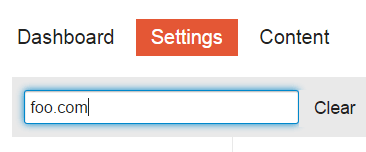
wondering how we created that form?

Last edited by @SaraDev 2024-12-13T00:50:25Z

Check documentPerform check on document:
191 „Gefällt mir“
Changing the subdomain
Move your Discourse Instance to a Different Server
Changed Domains- Not getting redirects
Having an issue after changing domain
Great How To Guides
Put forum under sub-domain and have website
Our domain name changed, where do I edit the hostname?
Image links point to Incorrect (Previous) subdomain After Migration
Moving from one S3 bucket to another
Hosted-by-discourse.com .. how to configure / rebake / ssh?
Got a strange error when I transferred our forum to the new server and new domain
Authentication and changing domain
Unable to change email address after switching domains
Unable to change domain name
Links broken after move
Rename existing discourse site
Moving to subdomain
WP Discourse - Relinking Comments After Moving Blog
Got a strange error when I transferred our forum to the new server and new domain
How to change URL associated with Activate Account button
Avatars lost after restore. How to get them back?
How might we better structure #howto?
Problem accessing plugin admin after restore
Unable to view all the images after updating to 3.4.0.beta1-dev
Migrate from AWS to Digital Ocean with 2 containers, spaces and 2 CDNs
Problem linking Discourse forum to WP Discourse
Site responds 502 Bad gateway - is it Ruby?
All internal links broken after restoring backup to new server
Set Up Let's Encrypt with Second Domain for Existing Discourse Install
Image uploads used to work but no longer do after forum name change?
Administrative Bulk Operations
Lost DNS Name, need to change to a new one
Questions about rebake
Cloned my DO discourse droplet, how to get clone to go to right domain?
Too many user emails domains not working lead to mailgun domain disabled: what to do?
I got example.com links. Where do they come from?
Problem linking Discourse forum to WP Discourse
Help changing domain
Onebox error code of 403
Move Discourse to a new server without setting up the web UI first?
Can not save Default Watched Category/Tags
Images prior 2022 lost
Using external Domain in the browser address line
After activating HTTPS Discourse doesn´t work
504 Gateway error after launching new AWS instance
Adding www. to Domain
Unable to rebuild discourse due to no space left on device
Remap error when a post contains a quote from another topic
Attempted to switch mail provider, messed up my discourse
Changed domain of WordPress and Onebox
Can't reach site
Can't Reach Site (Take 2)
Admin panel messed up after changing the domain name
What I should know when changing the domain name of a discourse forum
Any ideas why my discourse can't show emoji and images?
Ghost hostname after hostname change
Changing hostname
Changing hostname
Rake:rebake crashes with errors: PG::ConnectionBad: PQsocket
Rebake fails when changing the subdomain name only
How to remove "Website Name" links shared in a topic/post?
./launcher rebuild app for old 1.6 discourse not working
Error when I send a message in chat [downgraded to Stable from 3.1.0beta4]
Moving to Another VPS Provider
Changing domain and getting certificate for www
Some pictures don't display after a domain change
Multiple hostnames for a single site for cut-over phase
Change domain and rebake post all image not show
Set up Let’s Encrypt with multiple domains / redirects
Error on attempting to remap links
Site super slow after migration
Resource/Advice on how to change domains?
Can I upload discourse backup file to different domain address?
Discourse version at f.example.LTD: NOT FOUND
Remap command issues
Force pdf download
Images not appearing after domain change
What are the steps to test Discourse before switching domains
Remap failure when changing discourse domain
:cn: How to change the domain name | 如何修改 Discourse 的域名
Jump to main address automatically?
Migrate discourse from main domain --> subdomain
Uploads Path Should Update When URL Changes in app.yml During Container Rebuild
How to change URL associated with Activate Account button
Clone to a new server; Change Domain; New Topic Asking for Login Everytime
Attachments serving locally on the server but not publicly
Create self-hosting clean Incomplete cleaning
How much does changing the subdomain/domain break things?
Postgresql problem on moving discourse with rsync
Change from example.com to community.example.com
Migrating from SMF to Discourse
After SSL installation pictures are not displayed
Bootstrap failed after rebuild - changed domain name
Nil usage errors in un-self-deleting posts
Effect of changing the WordPress site URL
How to determine performance bottleneck?
Changing discourse from domain to subdomain?
Restore backup without reconfiguring Discourse
Switching forum from subdomain to sub directory
Creating a duplicate of production environment
Rename custom domain of hosted Discourse forum
Discourse none admin side not working returning error 500
Broken image URL paths after changing hostname
File URLs broken after moving to a different domain
How can I bulk remap/update user email addresses?
I have a few questions before migrate from Xenforo 2.x to Discourse
Preparing test Installation -some questions
Re-Run Setup Discourse
How do I change the URL of my Discourse community
How to change the domain for Discourse?
Can I change the domain name - without a clean install?
Links broken after move
Moving from Vultr to DigtitalOcean
Migrate a phpBB3 forum to Discourse
Missing avatars and site images after import of a backup
Discourse Install on Lightsail
Ssl_error_bad_cert_domain
Avatars lost after restore. How to get them back?

Es gibt wirklich keinen Grund für einen rebake?
Der remap hat sich bereits darum gekümmert, die alte URL auf die neue URL abzubilden.

5 „Gefällt mir“

@SaraDev Danke, dass du Ordnung hältst. Kannst du dir Folgendes ansehen:\n\n[quote="Discourse, post:1, topic:16098"]\nrun ./discourse-setup to input the new domain information\n[/quote]\n\nund\n\n[quote="Discourse, post:1, topic:16098"]\n## Changing DNS Records\n\nUpdate your DNS settings to disable the old domain and point the new domain to the IP address of your Discourse server.\n[/quote]\n\nVielleicht übersehe ich etwas, aber… Wenn du die Methode ./discourse-setup verwendest, musst du die IP für die neue Domain festlegen, bevor du ./discourse-setup ausführst, um den gefürchteten Domain-Check-Fehler zu vermeiden, oh je.\n\nVerwendung der Konvention talk.foo.comtalk.bar.com\n\nHostname für deine Discourse? [talk.foo.com]: talk.bar.com\n\nÜberprüfung deines Domainnamens . . .\nWARNUNG: Port 443 des Computers scheint nicht über den Hostnamen talk.bar.com erreichbar zu sein.\nWARNUNG: Verbindung zu http://talk.bar.com (Port 80) schlägt ebenfalls fehl.

2 „Gefällt mir“

Hallo @philh,

Vielen Dank, dass Sie darauf hingewiesen haben:

Das ist richtig, und wenn Sie ./discourse-setup ausführen und die Informationen zur neuen Domain eingeben, anstatt app.yml zu bearbeiten, müssen Sie zuerst die DNS-Einträge für Ihre neue Domain einrichten.

Diese Informationen wurden im Leitfaden aktualisiert, um die richtige Reihenfolge für die Aktualisierung der Domain in dieser Situation widerzuspiegeln. :slightly_smiling_face:

1 „Gefällt mir“

Danke Sara!

Übrigens: Ich bin ziemlich sicher, dass es während des Neuaufbaus eine Domain-Prüfung gibt, die ./launcher rebuild app ausführt:wink:, was darauf hindeuten würde, dass DNS sowieso zuerst aktualisiert werden sollte: direkte Bearbeitung von app.yml oder ./discourse-setup

Vielen Dank nochmals für die Bemühungen, die Dinge ordentlich zu halten. Aktuelle Anleitungen helfen den neueren Leuten, die dazustoßen. :slight_smile:

2 „Gefällt mir“

Ich möchte das tun, aber ich benutze Digital Ocean und bin kein Experte. Muss ich dort etwas ändern?

Zum Beispiel sehe ich das hier:

Aber ich glaube, das ist nur ein Name, den ich ihm gegeben habe, keine echte Einstellung?

Solange ich die Anweisungen auf dieser Seite befolge, muss ich in Digital Ocean nichts ändern (vielleicht abgesehen davon, diesen Namen auf die neue Domain zu aktualisieren, um Verwirrung zu vermeiden)?

Damit Ihre neue Website ordnungsgemäß funktioniert, müssen Sie die DNS-Einstellungen bei Ihrem Domainnamenanbieter aktualisieren.


Beispiel:

Wenn Ihre vorherige Website war:

forum.example.com → 1.1.1.1

Dann sollten Sie sie ändern in:

forum.newname.com → 1.1.1.1


Ändern Sie die Subdomain oder die vollständige Domain?

Im obigen Beispiel:

  • Domain: example.com
  • Subdomain: forum

Stellen Sie sicher, dass Sie Ihre DNS-Einträge entsprechend aktualisieren, je nachdem, ob Sie nur die Subdomain oder den vollständigen Domainnamen ändern.


:label: Ändern Sie die Subdomain oder die vollständige Domain?

Im obigen Beispiel:

  • Domain: example.com
  • Subdomain: forum

Stellen Sie sicher, dass Sie Ihre DNS-Einträge entsprechend aktualisieren, je nachdem, ob Sie nur die Subdomain oder den vollständigen Domainnamen ändern.


:globe_with_meridians: DNS-Konfigurationsbeispiele

:blue_circle: Cloudflare

  1. Melden Sie sich bei Ihrem Cloudflare-Dashboard an.
  2. Wählen Sie Ihre Domain aus (z. B. example.com).
  3. Gehen Sie zur Registerkarte DNS.
  4. Suchen Sie den vorhandenen A- oder CNAME-Eintrag für forum.
  5. Bearbeiten Sie ihn:
    • Name: forum
    • Inhalt: 1.1.1.1 (oder die IP Ihres Servers)
  6. Klicken Sie auf Speichern.

:yellow_circle: GoDaddy

  1. Melden Sie sich bei Ihrem GoDaddy-Konto an.
  2. Klicken Sie auf Domains und wählen Sie dann Ihre Domain aus.
  3. Klicken Sie unter Zusätzliche Einstellungen auf DNS verwalten.
  4. Scrollen Sie zum Abschnitt Einträge.
  5. Suchen Sie den A-Eintrag oder CNAME für forum und klicken Sie auf das Bearbeiten-Symbol.
  6. Aktualisieren Sie Folgendes:
    • Host: forum
    • Zeigt auf: 1.1.1.1
  7. Klicken Sie auf Speichern.

:orange_circle: Namecheap

  1. Melden Sie sich bei Ihrem Namecheap-Konto an.
  2. Gehen Sie zu Domainliste > klicken Sie auf Verwalten neben Ihrer Domain.
  3. Öffnen Sie die Registerkarte Erweitertes DNS.
  4. Suchen Sie unter Host-Einträge den Eintrag mit forum.
  5. Klicken Sie auf Bearbeiten und aktualisieren Sie:
    • Host: forum
    • Wert: 1.1.1.1
  6. Klicken Sie auf das grüne Häkchen, um die Änderung zu speichern.

DNS-Änderungen können je nach Anbieter und TTL-Einstellungen einige Minuten bis zu 48 Stunden dauern, bis sie vollständig verbreitet sind.

:three_o_clock: Hinweis: Die Schritte zur Änderung der DNS wurden mit KI generiert und können variieren oder Fehler enthalten.

1 „Gefällt mir“

Mein Problem hing tatsächlich nur mit Digital Ocean zusammen, nicht mit dem DNS, das ich in Cloudflare leicht ändern konnte. Ich habe jedoch herausgefunden, dass es nicht notwendig war, Änderungen in Digital Ocean vorzunehmen.

Vielen Dank für Ihre Antwort trotzdem!

1 „Gefällt mir“