更改您的 Discourse 域名或重命名

:bookmark: 本指南说明如何更改您的 Discourse 站点的域名,并包含有关设置 DNS 更改、编辑配置文件、更新站点设置以及更正社交登录和帖子内容以反映新域名信息。

:warning: 本指南适用于使用我们在 GitHub 上的安装指南安装的自托管 Discourse 实例。如果您由 Discourse 托管,请参阅 Configure your domain name for hosted Discourse 获取具体说明。

您可能最终想要更改 Discourse 实例的域名,例如从

=BEFORE= :right_arrow: =AFTER=

让我们开始吧。

提前将 DNS TTL 设置得较低

首先,将 DNS 的生存时间 (TTL) 设置为一个较小的值,例如 60 分钟。这应该在实际更改域名前几天完成,以确保更改能够快速在互联网上传播。

从任何站点设置中删除旧域名

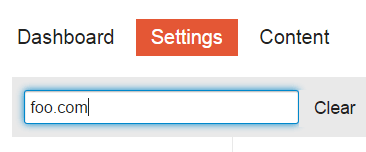
访问您的 Discourse 管理界面中的 /admin/site_settings,搜索包含旧域名的任何设置。将这些设置更新为新域名。
更改 DNS 记录

更新您的 DNS 设置,禁用旧域名并将新域名指向您的 Discourse 服务器的 IP 地址。

app.yml 中编辑站点名称

您可以手动编辑 app.yml 文件以输入新的域名信息。

以下是手动编辑的方法:

cd /var/discourse
nano containers/app.yml

找到以下行并替换它:

DISCOURSE_HOSTNAME: 'your.newdomain.com'

如果使用了内容分发网络 (CDN),请通过注释掉 app.yml 中相应的行来暂时禁用它。使用以下命令重建您的 Discourse 站点:

./launcher rebuild app

:information_source: 或者,您可以再次运行 ./discourse-setup 并输入新的域名信息,而不是编辑 app.yml

检查您的站点在新域名下是否可以正常运行。

修复社交登录

:exclamation: 根据您的登录方式,您可能需要先执行此操作,否则更改名称后您将无法登录。

如果您使用社交登录,请在平台上(Twitter、Facebook、Google、GitHub)更新凭据以反映新域名。请参阅 Discourse how-to 类别中的指南。

重新映射帖子中的域名

所有现有帖子仍将引用旧域名。

您需要将帖子中对旧域名的引用更改为新域名:

./launcher enter app

然后

discourse remap =BEFORE= =AFTER=

用以下命令完成:

rake posts:rebake

这确保了域名在现有帖子中被重新映射,并且内容会根据需要重新生成。

:information_source: 如果您有 CDN,请记住在更改域名后重新激活它。

想知道 我们是如何创建那个表单的吗?

192 个赞
Changing the subdomain
Changed Domains- Not getting redirects
Having an issue after changing domain
Great How To Guides
Put forum under sub-domain and have website
Our domain name changed, where do I edit the hostname?
Moving to subdomain
Rename existing discourse site
Unable to change domain name
Links broken after move
Unable to change email address after switching domains
Authentication and changing domain
Got a strange error when I transferred our forum to the new server and new domain
WP Discourse - Relinking Comments After Moving Blog
Moving from one S3 bucket to another
Hosted-by-discourse.com .. how to configure / rebake / ssh?
Image links point to Incorrect (Previous) subdomain After Migration
Avatars lost after restore. How to get them back?
Got a strange error when I transferred our forum to the new server and new domain
How to change URL associated with Activate Account button
Avatars lost after restore. How to get them back?
How might we better structure #howto?
Problem accessing plugin admin after restore
Unable to view all the images after updating to 3.4.0.beta1-dev
Migrate from AWS to Digital Ocean with 2 containers, spaces and 2 CDNs
Problem linking Discourse forum to WP Discourse
Site responds 502 Bad gateway - is it Ruby?
All internal links broken after restoring backup to new server
Set Up Let's Encrypt with Second Domain for Existing Discourse Install
Image uploads used to work but no longer do after forum name change?
Lost DNS Name, need to change to a new one
Questions about rebake
Cloned my DO discourse droplet, how to get clone to go to right domain?
Too many user emails domains not working lead to mailgun domain disabled: what to do?
I got example.com links. Where do they come from?
Problem linking Discourse forum to WP Discourse
Help changing domain
Onebox error code of 403
Move Discourse to a new server without setting up the web UI first?
Can not save Default Watched Category/Tags
Images prior 2022 lost
Using external Domain in the browser address line
After activating HTTPS Discourse doesn´t work
504 Gateway error after launching new AWS instance
Adding www. to Domain
Unable to rebuild discourse due to no space left on device
Remap error when a post contains a quote from another topic
Attempted to switch mail provider, messed up my discourse
Changed domain of WordPress and Onebox
Can't reach site
Can't Reach Site (Take 2)
Admin panel messed up after changing the domain name
What I should know when changing the domain name of a discourse forum
Any ideas why my discourse can't show emoji and images?
Ghost hostname after hostname change
Changing hostname
Changing hostname
Rake:rebake crashes with errors: PG::ConnectionBad: PQsocket
Rebake fails when changing the subdomain name only
How to remove "Website Name" links shared in a topic/post?
./launcher rebuild app for old 1.6 discourse not working
Error when I send a message in chat [downgraded to Stable from 3.1.0beta4]
Moving to Another VPS Provider
Changing domain and getting certificate for www
Some pictures don't display after a domain change
Customize direct-delivery Postfix configuration
Multiple hostnames for a single site for cut-over phase
Change domain and rebake post all image not show
Set up Let’s Encrypt with multiple domains / redirects
Error on attempting to remap links
Site super slow after migration
Resource/Advice on how to change domains?
Can I upload discourse backup file to different domain address?
Discourse version at f.example.LTD: NOT FOUND
Remap command issues
Force pdf download
Images not appearing after domain change
What are the steps to test Discourse before switching domains
Remap failure when changing discourse domain
:cn: How to change the domain name | 如何修改 Discourse 的域名
Jump to main address automatically?
Migrate discourse from main domain --> subdomain
Uploads Path Should Update When URL Changes in app.yml During Container Rebuild
How to change URL associated with Activate Account button
Clone to a new server; Change Domain; New Topic Asking for Login Everytime
Attachments serving locally on the server but not publicly
Create self-hosting clean Incomplete cleaning
How much does changing the subdomain/domain break things?
Postgresql problem on moving discourse with rsync
Change from example.com to community.example.com
Migrating from SMF to Discourse
After SSL installation pictures are not displayed
Bootstrap failed after rebuild - changed domain name
Nil usage errors in un-self-deleting posts
Effect of changing the WordPress site URL
How to determine performance bottleneck?
Changing discourse from domain to subdomain?
Switching forum from subdomain to sub directory
Creating a duplicate of production environment
Rename custom domain of hosted Discourse forum
Discourse none admin side not working returning error 500
Broken image URL paths after changing hostname
File URLs broken after moving to a different domain
How can I bulk remap/update user email addresses?
I have a few questions before migrate from Xenforo 2.x to Discourse
Preparing test Installation -some questions
Re-Run Setup Discourse
How do I change the URL of my Discourse community
How to change the domain for Discourse?
Can I change the domain name - without a clean install?
Links broken after move
Moving from Vultr to DigtitalOcean
Migrate a phpBB3 forum to Discourse
Missing avatars and site images after import of a backup
Discourse Install on Lightsail
Ssl_error_bad_cert_domain

真的没有理由进行 rebake 吗?
remap 已经负责将旧 URL 映射到新 URL 了。

5 个赞

@SaraDev 感谢您保持整洁。您能否看一下:

也许我遗漏了什么,但是……如果您使用 ./discourse-setup 方法,您需要在运行 ./discourse-setup 之前为新域名设置 IP,以防止可怕的域名检查失败,哎呀。

使用 talk.foo.comtalk.bar.com 约定

您的 Discourse 的主机名? [talk.foo.com]: talk.bar.com

正在检查您的域名 . . .
警告:无法通过主机名访问计算机的 443 端口: talk.bar.com
警告:连接到 http://talk.bar.com (端口 80) 也失败。

2 个赞

您好 @philh

感谢您提出这一点:

这是正确的,如果您运行 ./discourse-setup 并输入新的域信息而不是编辑 app.yml,您将需要首先为您的新域设置 DNS 记录。

此信息已在指南中更新,以反映此情况下更新域的正确顺序。 :slightly_smiling_face:

1 个赞

谢谢 Sara!

顺便说一句:我非常确定在运行 ./launcher rebuild app 时会有一个域检查 :wink: 这表明无论如何都应该先更新 DNS:直接编辑 app.yml 或运行 ./discourse-setup

再次感谢您为保持一切整洁所做的努力。最新的说明确实能帮助那些新来的人。 :slight_smile:

2 个赞

我想这样做,但我使用的是 Digital Ocean,而且我不是专家。我需要在那儿更改任何内容吗?

例如,我看到这个:

但我认为这只是我给它起的名字,并不是一个真正的设置?

所以,只要我遵循此页面上的说明,我就不必在 Digital Ocean 中进行任何更改(也许除了将此名称更新为新域名,以避免混淆?)

要使您的新网站正常运行,您需要更新域名提供商处的 DNS 设置。


示例:

如果您的旧网站是:

forum.example.com → 1.1.1.1

那么您应该将其更改为:

forum.newname.com → 1.1.1.1


您是更改子域名还是完整域名?

在上面的示例中:

  • 域名example.com
  • 子域名forum

根据您是仅更改子域名还是更改完整域名,请确保相应地更新您的 DNS 记录。


:label: 您是更改子域名还是完整域名?

在上面的示例中:

  • 域名example.com
  • 子域名forum

根据您是仅更改子域名还是更改完整域名,请确保相应地更新您的 DNS 记录。


:globe_with_meridians: DNS 配置示例

:blue_circle: Cloudflare

  1. 登录您的 Cloudflare 控制面板
  2. 选择您的域名(例如 example.com)。
  3. 转到 DNS 选项卡。
  4. 找到 forum 的现有 ACNAME 记录。
  5. 编辑它:
    • 名称forum
    • 内容1.1.1.1(或您的服务器 IP)
  6. 点击 保存

:yellow_circle: GoDaddy

  1. 登录您的 GoDaddy 账户
  2. 点击 Domains,然后选择您的域名。
  3. Additional Settings 下,点击 Manage DNS
  4. 向下滚动到 Records 部分。
  5. 找到 forumA 记录或 CNAME,然后点击 Edit 图标。
  6. 更新以下内容:
    • Hostforum
    • Points to1.1.1.1
  7. 点击 Save

:orange_circle: Namecheap

  1. 登录您的 Namecheap 账户
  2. 转到 Domain List > 点击您域名旁边的 Manage
  3. 打开 Advanced DNS 选项卡。
  4. Host Records 下,查找 forum 条目。
  5. 点击 Edit,然后更新:
    • Hostforum
    • Value1.1.1.1
  6. 点击绿色的 checkmark 保存更改。

DNS 更改可能需要几分钟到 48 小时才能完全传播,具体取决于您的提供商和 TTL 设置。

:three_o_clock: 注意:更改 DNS 的步骤是使用 AI 生成的,它们可能有所不同或包含错误。

1 个赞

我的问题实际上只与 Digital Ocean 有关,而不是 DNS,我可以在 Cloudflare 中轻松更改。不过,我发现没有必要在 Digital Ocean 中进行任何更改。

无论如何,谢谢您的回复!

1 个赞